GDPR in Practice with eAuditor
Protect Personal Data and Document Activities
Manage data access, control media, and document activities related to personal data security.
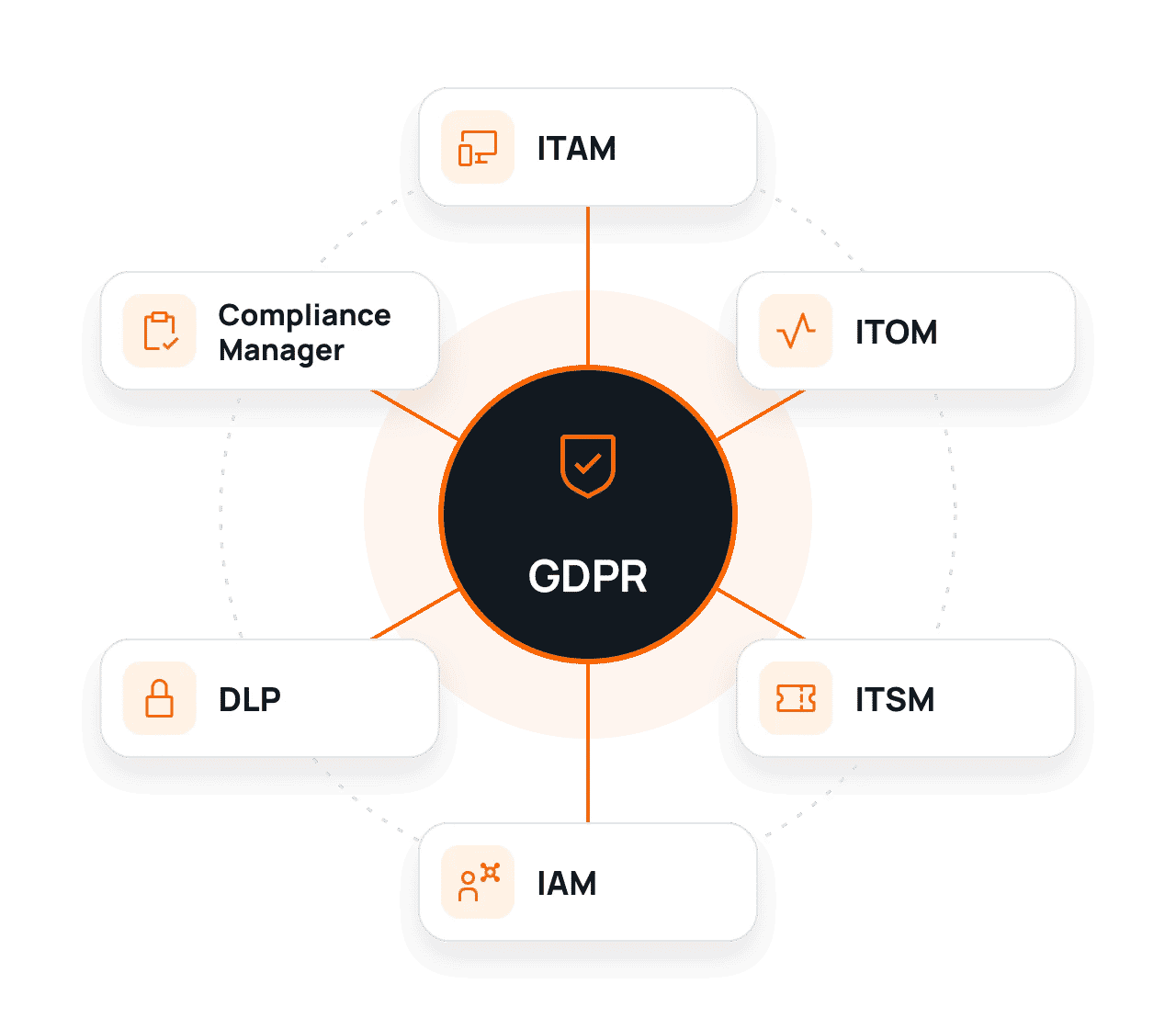
How eAuditor Supports GDPR Requirements?
Detect irregularities, organize IT team work, and collect information that helps demonstrate the application of selected safeguards. See how to use these functions in the context of GDPR.
01
Check Access
Verify who has permissions to systems.
02
Reduce Risk
Control media and selected security configurations.
03
Document Actions
Retain a history of decisions, events, and controls.
eAuditor Functions Supporting GDPR
See how individual modules help monitor the IT environment, control access, and prepare reports.
01
ITAM – Full Control Over IT Assets
Automatically detect devices and software. Check their configurations, versions, and change history.
WHAT CAN YOU DOCUMENT?
Asset register, system versions, and change history.
02
ITOM – IT Infrastructure Monitoring
Track system and service availability. Receive alerts about failures and irregularities.
WHAT CAN YOU DOCUMENT?
Availability history, alerts, and monitoring reports.
03
ITSM – Efficient Incident Handling
Log incidents, assign responsible persons, and track corrective actions.
WHAT CAN YOU DOCUMENT?
Tickets, response times, and service history.
04
IAM – Access Management
Organize user permissions and review access to systems and resources.
WHAT CAN YOU DOCUMENT?
Permission lists, access requests, and decisions.
05
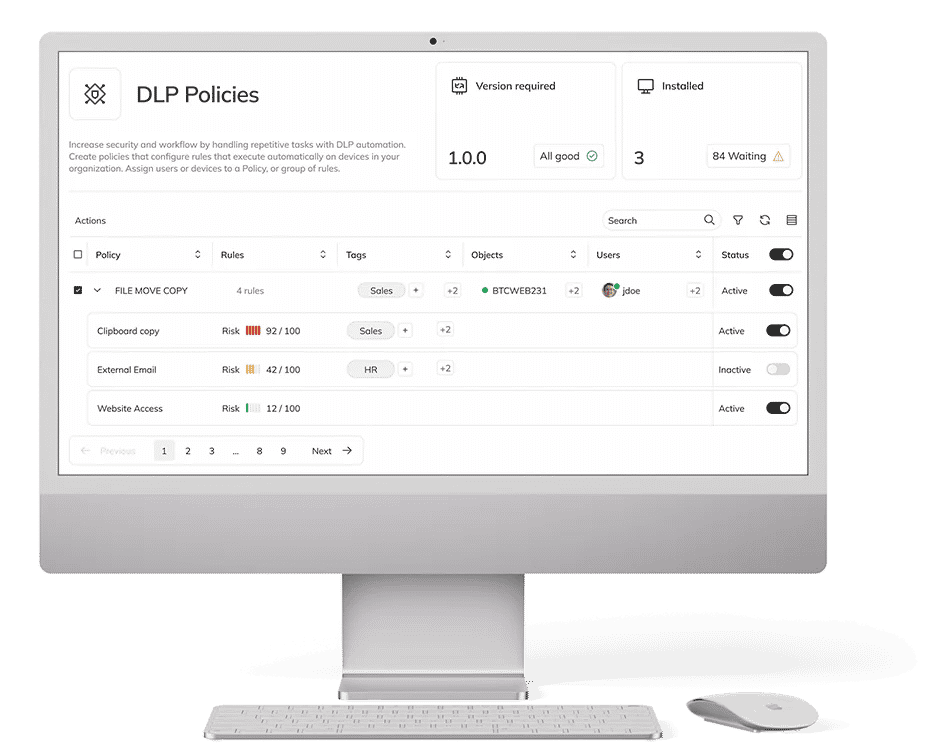
DLP – Corporate Data Protection
Control USB media usage and restrict unauthorized data copying.
WHAT CAN YOU DOCUMENT?
Protection policies, events, and media usage history.
06
Compliance Manager – Compliance Control
Compare device settings with adopted security policies and detect deviations.
WHAT CAN YOU DOCUMENT?
Audit results, non-compliance reports, and change history.
How Does eAuditor Help Fulfill GDPR Requirements?
Explore the areas where eAuditor’s functions assist in daily IT operations and documentation collection.
| Area / Requirement | How does eAuditor help? | What can you document? |
|---|---|---|
| Area 01 Security of Processing Article 32 | Control permissions, removable media and device configurations. IAM + DLP + Compliance Manager | Control reports and technical policies. The selection of measures depends on the risk and nature of the processing. |
| Area 02 Accountability Article 5(2) and Article 24 | Collect information about selected controls and administrative activities. IAM + ITAM | History of changes, requests and reviews. Records of processing activities and full GDPR documentation are separate requirements. |
| Area 03 Access to Data Articles 25 and 32 | Review permissions and support access restrictions to resources. IAM | Access lists and decision history. An access list alone does not demonstrate compliance with the data minimisation principle. |
| Area 04 Protection Against Data Loss and Leakage Article 32 | Apply removable media policies and monitor selected protection settings. DLP + Compliance Manager | DLP events and security settings. Not all data transfer channels are covered by removable media controls. |
| Area 05 Personal Data Breaches Articles 33–34 | Record tickets and the timeline of actions related to an incident. ITSM + ITOM | Incident records, detection times and actions taken. Assessing a breach and deciding whether to notify the supervisory authority are the responsibility of the data controller. |
| Area 06 System Availability Article 32(1) b–c | Monitor service availability and outage history. ITOM | Alerts and downtime reports. Data recovery requires separate procedures and testing. |
Example 01 | Situation
Employee Role Change
IAM helps update system permissions, and DLP adjusts media policy.
eAuditor Supports More Than Just GDPR
One system, many applications. See how eAuditor helps manage IT security in the context of other regulations and standards as well.
NIS2
Identify vulnerabilities, assess risks, and prioritize corrective actions. Detect weaknesses in IT infrastructure and reduce the risk of security incidents.
DORA
Increase control over ICT systems, monitor their availability, and streamline incident handling. Document actions supporting technological risk management.
KSC
Monitor IT infrastructure, control configurations, and document incidents. Organize cybersecurity activities and prepare reports for controls.
Frequently Asked Questions about GDPR and eAuditor
eAuditor assists in technical data protection through access control, privilege management, enforcement of media policies, and documenting selected events. This facilitates continuous monitoring of IT security.
IAM supports granting and reviewing permissions, and documenting access changes to systems where personal data is processed.
DLP allows you to apply USB media control policies, restrict selected operations, and log events related to removable media usage.
ITAM helps maintain an inventory of devices and software, and identify their versions and changes. This facilitates planning technical infrastructure controls.
Depending on the implementation, privilege lists, media policies, history of selected events, and device configuration audit reports may be available.
Want to see eAuditor in action?
Check how selected modules can support processes in your organization.