Employee panel
- Dashboard
- WorkTime Manager
- Training (LMS)
- Kiosk
- Mobile User Panel
- Integration with Bluur AI
Dashboard
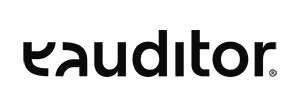
The employee panel has a fully intuitive and clear start screen, the form of which varies by position in the organizational structure. Interactive widgets graphically present information about productivity, recently sent messages, support requests, computer memory and available training. This allows an employee to find key information quickly and easily.
Benefits
Software used
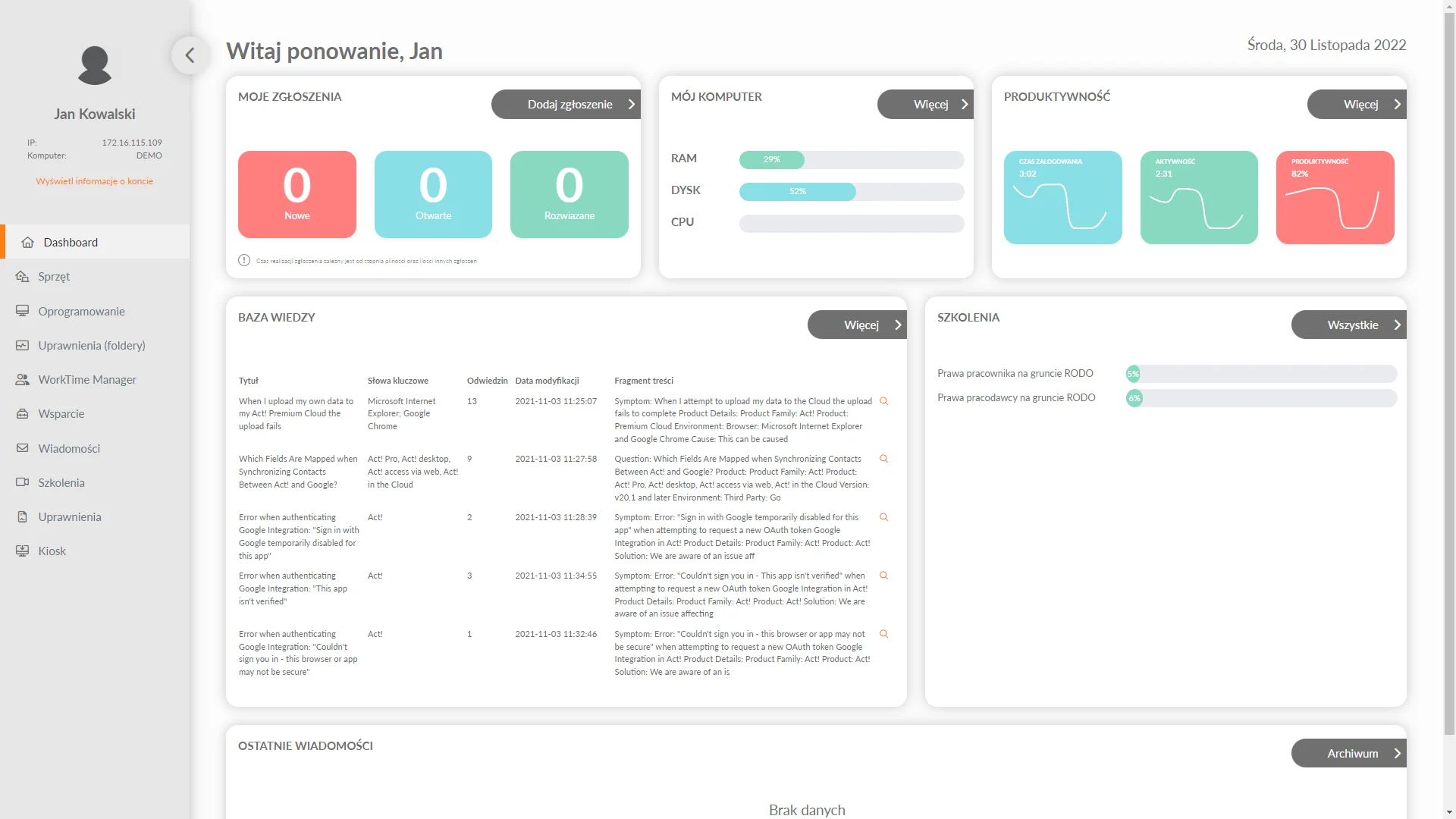
Under the software tab, each employee can monitor which applications he or she used on a given day. The user also has insight into the time of use and the last time the application was launched. Based on this, he can analyze his productivity while working.
Used equipment
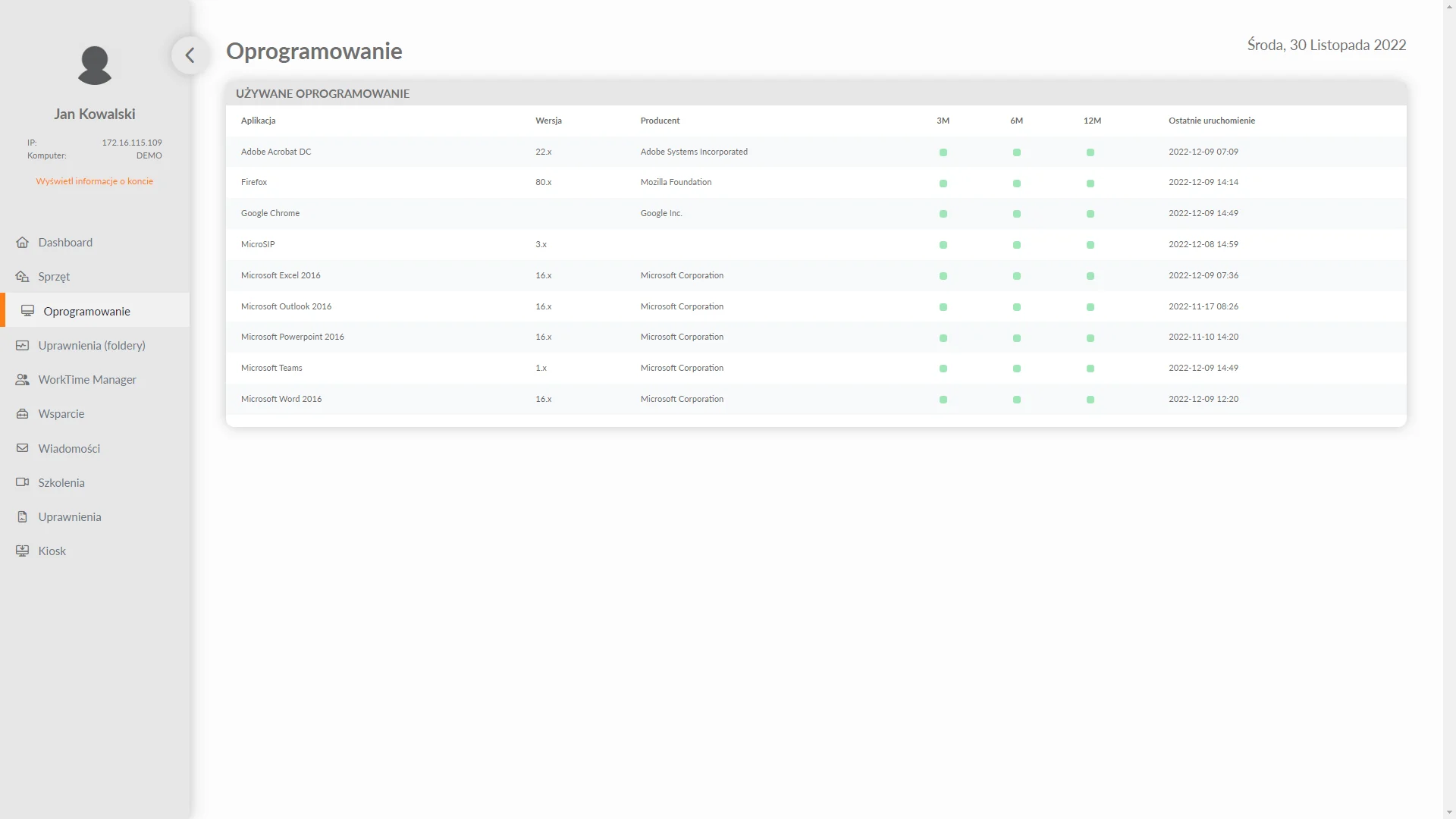
In the employee panel, each user has access to information about the hardware he or she is using. The employee can see such information as the computer’s IP, Host ID, as well as the last login date. With such data, the employee gains key information about the activities performed on the specific device he or she is using.
Possessed rights (ACL Manager)
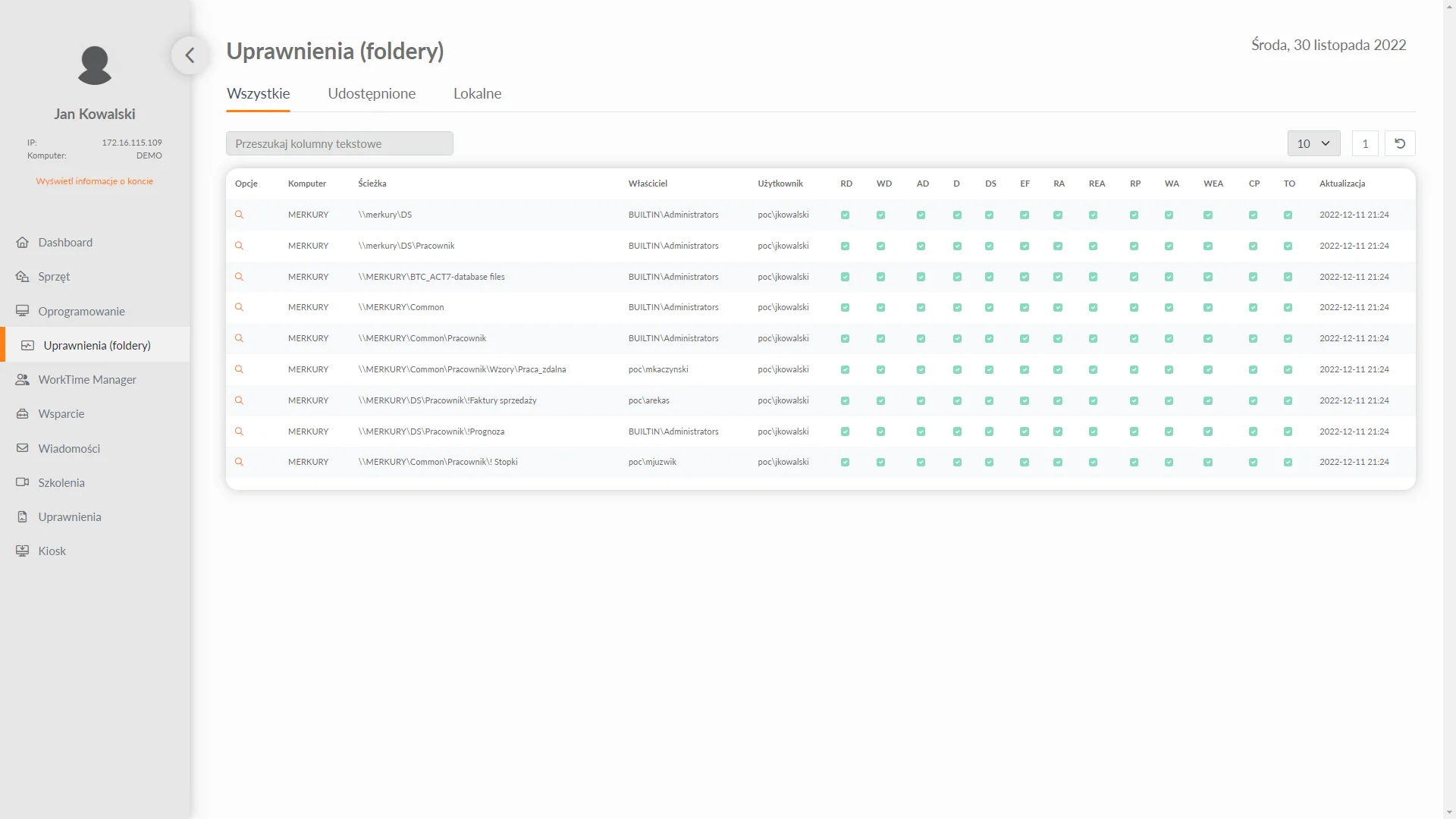
A user in the employee panel has an overview of the system permissions he has obtained. This allows him to identify his accesses to local resources and shared resources (local and network). The employee can easily read whether he has the ability to create, edit or delete files within resources. In addition, the permissions tab has a clear table that allows any filtering of views. In addition, there is a clear table in the permissions tab that allows any filtering of views.
Technical support
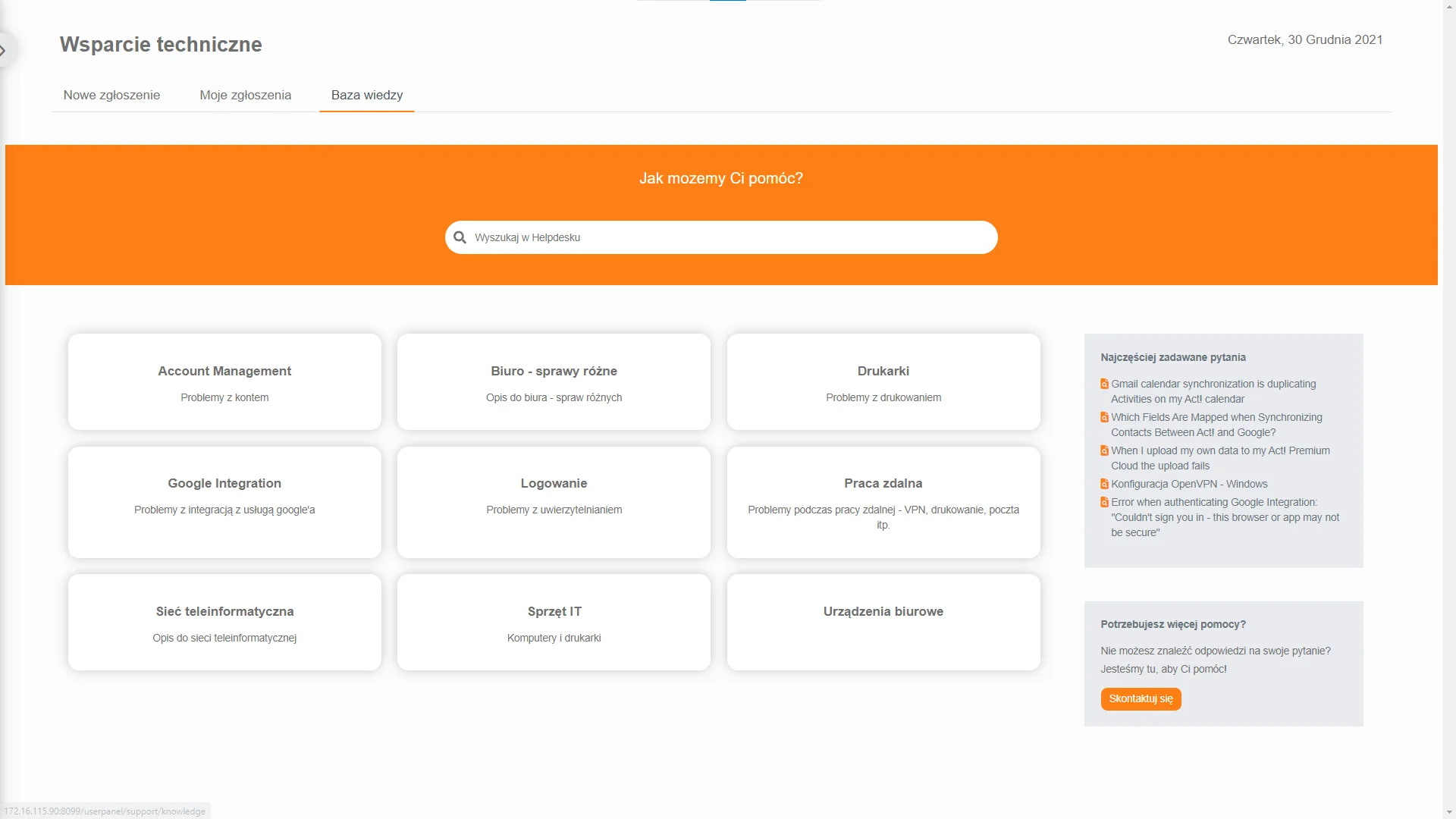
An employee via the application can quickly report incidents to Helpdesk support. The employee’s dashboard allows new requests to be sent to the Helpdesk using an intuitive form that includes guidance on how to review previous requests and search for solutions in an extensive knowledge base.
WorkTime Manager
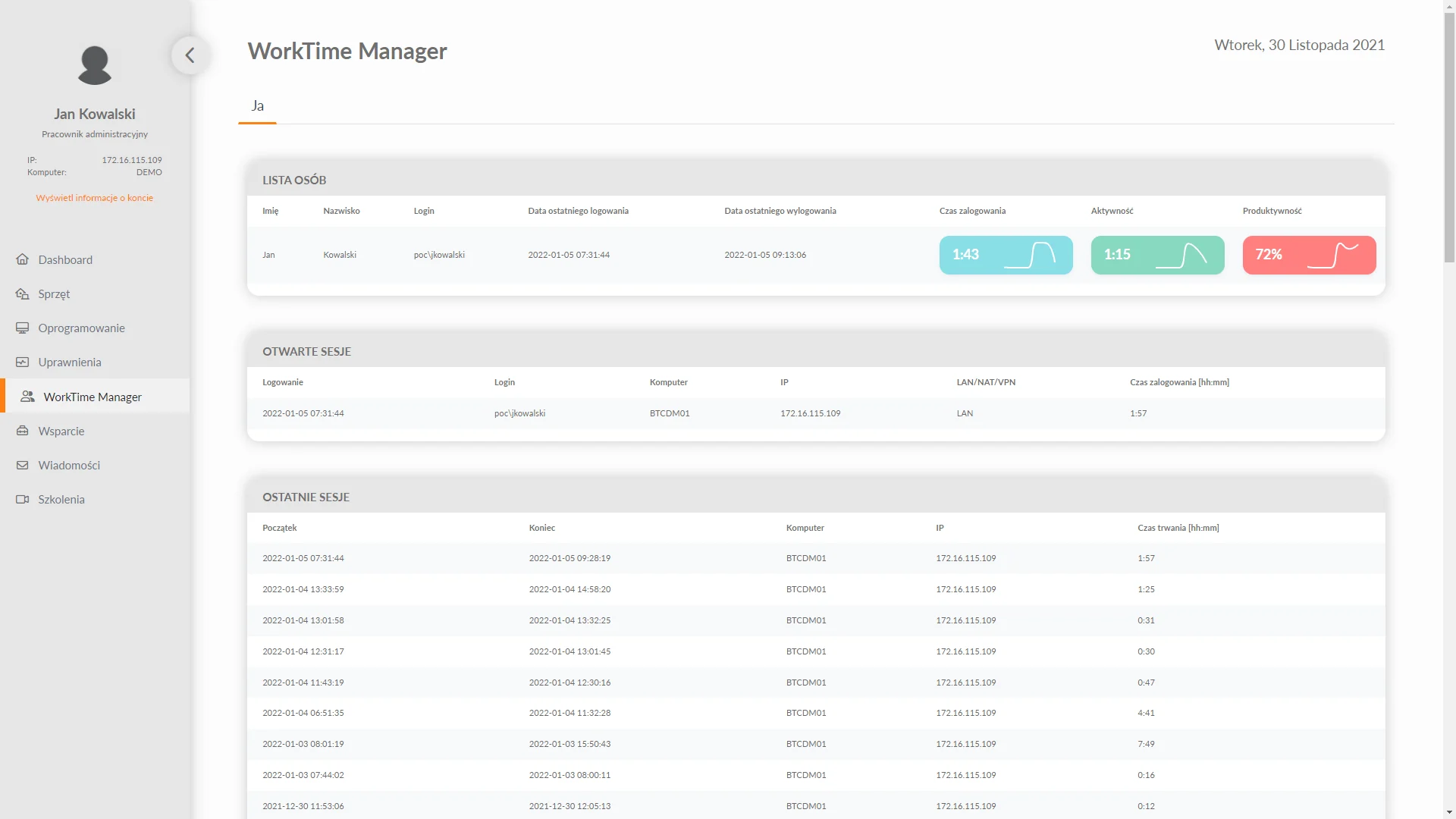
The user panel interface provides access to a view that shows detailed information about login time, computer time, productivity and employee activity. All information is presented in a clear and easy-to-read manner using functional widgets. This allows the employee to monitor his metrics on an ongoing basis to use his time at work wisely.
News
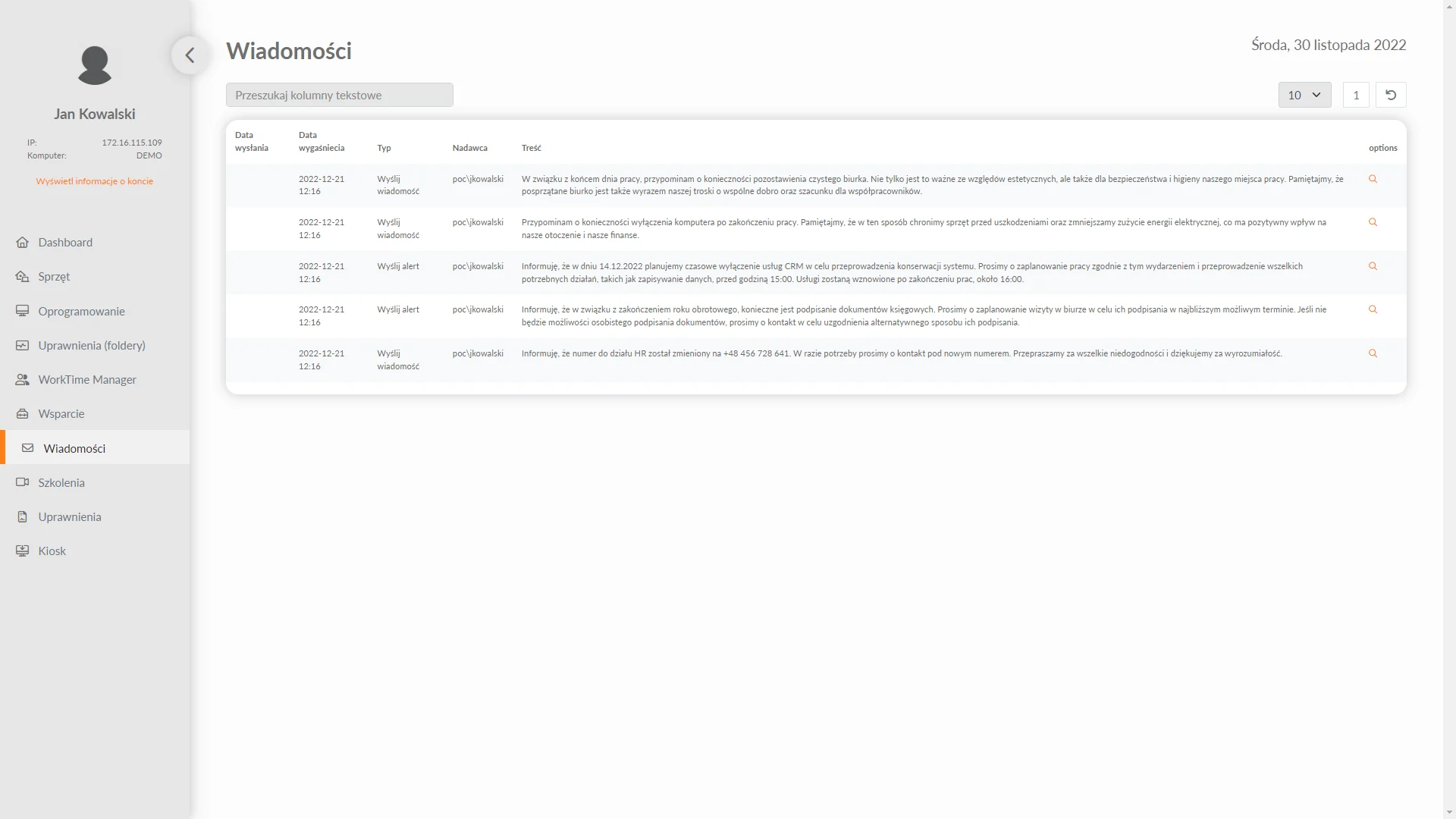
An employee can read messages (alerts) about the operation of the system. This allows even more effective management of the entire IT infrastructure. All messages and alerts are sent to users from the eAuditor system console.
Training (LMS)
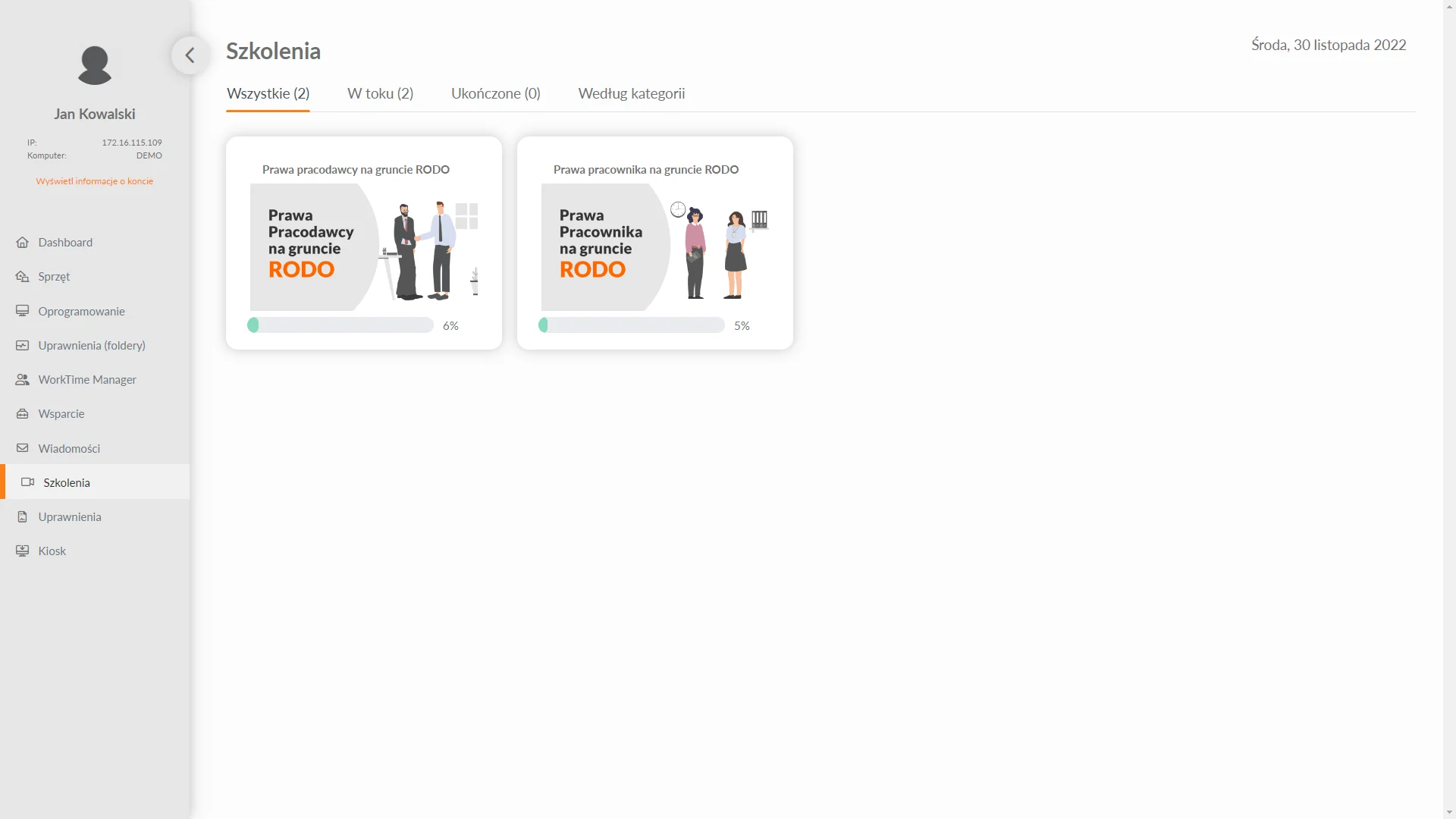
From the panel, the employee has easy access to the trainings he is completing, along with information on the progress of implementation. He can check on an ongoing basis what training he is doing, which he has already completed and which he still needs to do. In addition, the employee also has access to a rich database of instructional videos dedicated to him, which he can group by category.
Application kiosk
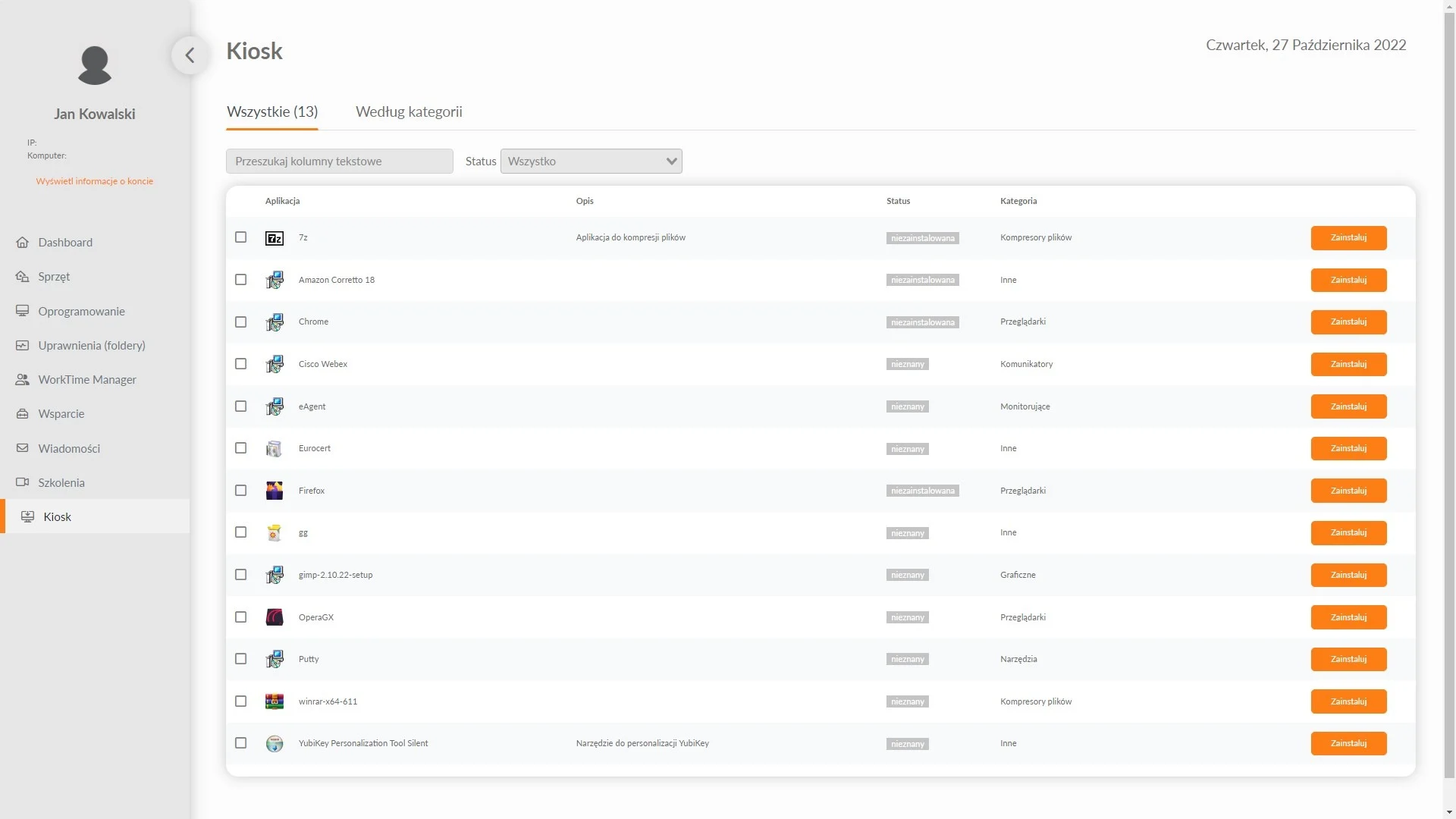
This is one of the functionalities of the eAuditor system, which can be accessed from the Employee Panel. It allows each user to install software verified and approved by IT departments. New to the Application Kiosk in the eAuditor V9 AI system is the ability for users to install secure applications themselves. This gives each employee access to more than 100 IT-verified and approved applications that can be installed from the Employee Panel.
Another of the new features is a function that also makes it possible to manage software according to organizational structure. Administrators can assign applications to specific departments using employee schemas from within the CMDB, streamlining IT resource management processes. In addition to a rich library of applications, the new functionality also introduces optimization of employees’ working time by allowing quick access to needed software without having to wait for IT administrators to intervene.
As an additional convenience for administrators, the eAuditor system automatically informs them not only if the software required by a department is not installed, but also if it is not being used. This allows future forecasting of purchases and identification of unused resources. All application updates are made by IT administrators by placing the update package in the repository. Only then can users update all their dedicated software.
Security is a priority in the new Application Kiosk, ensuring a high standard of security for all installed programs. This allows users to use the software in the full knowledge that their data is protected.
- High level of security
- Remote installation option
- Update package in the repository
Integration with ChatGPT
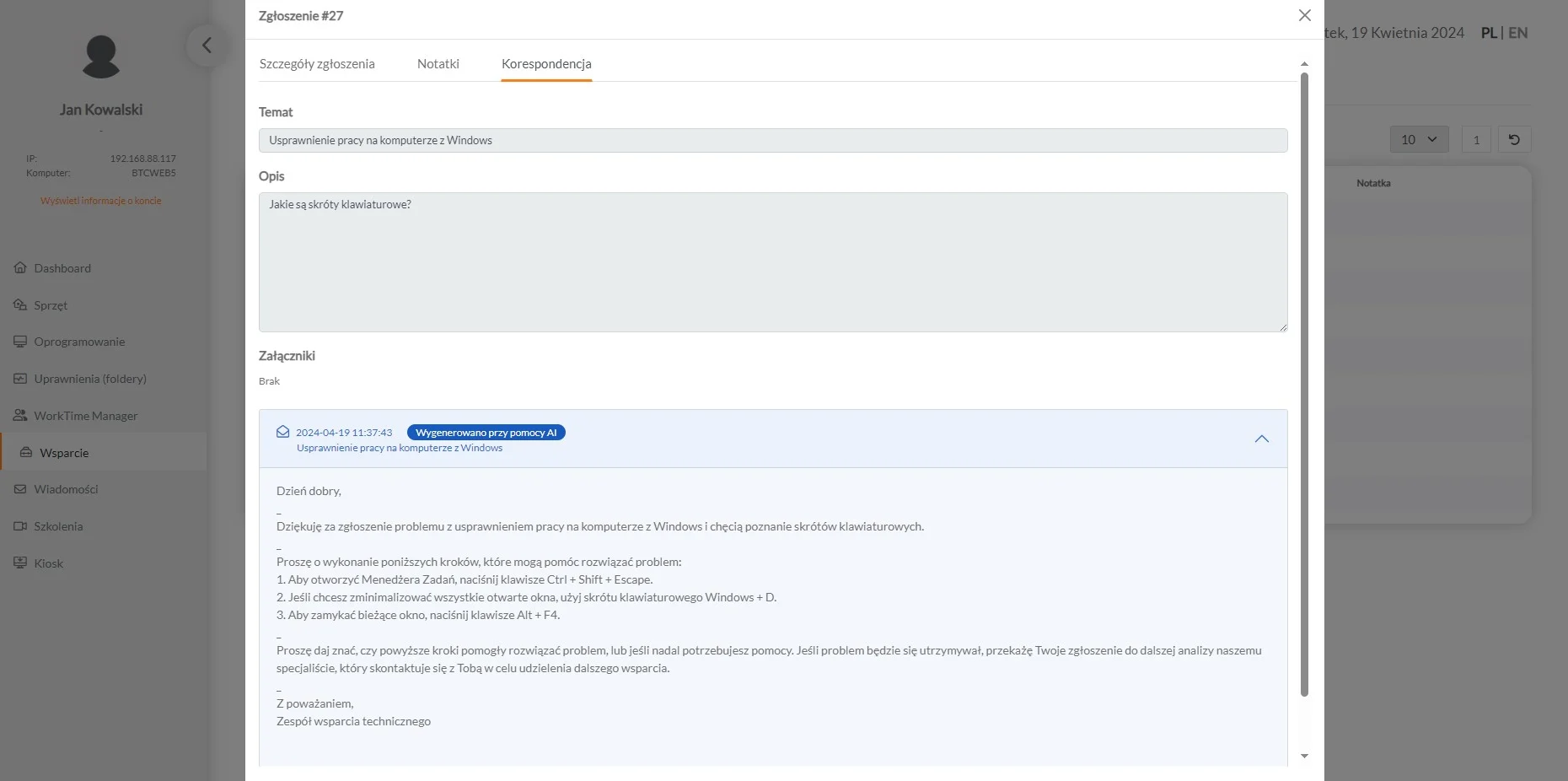
The Employee Dashboard integrates with ChatGPT, allowing users to use advanced natural language processing features to manage the system, get information and solve problems through an interactive chat interface. With a built-in assistant that accurately prepares scripts, eAuditor becomes a comprehensive tool, improving management of IT systems and enhancing security, protecting against cyber threats.
- Effective incident management using AI
- Instant answers to questions about how the system works
- Automating tasks with text commands
- Assistance in solving critical problems
- Increased employee productivity
- Advanced security mechanisms
- Informing employees about IT risks
Mobile User Panel
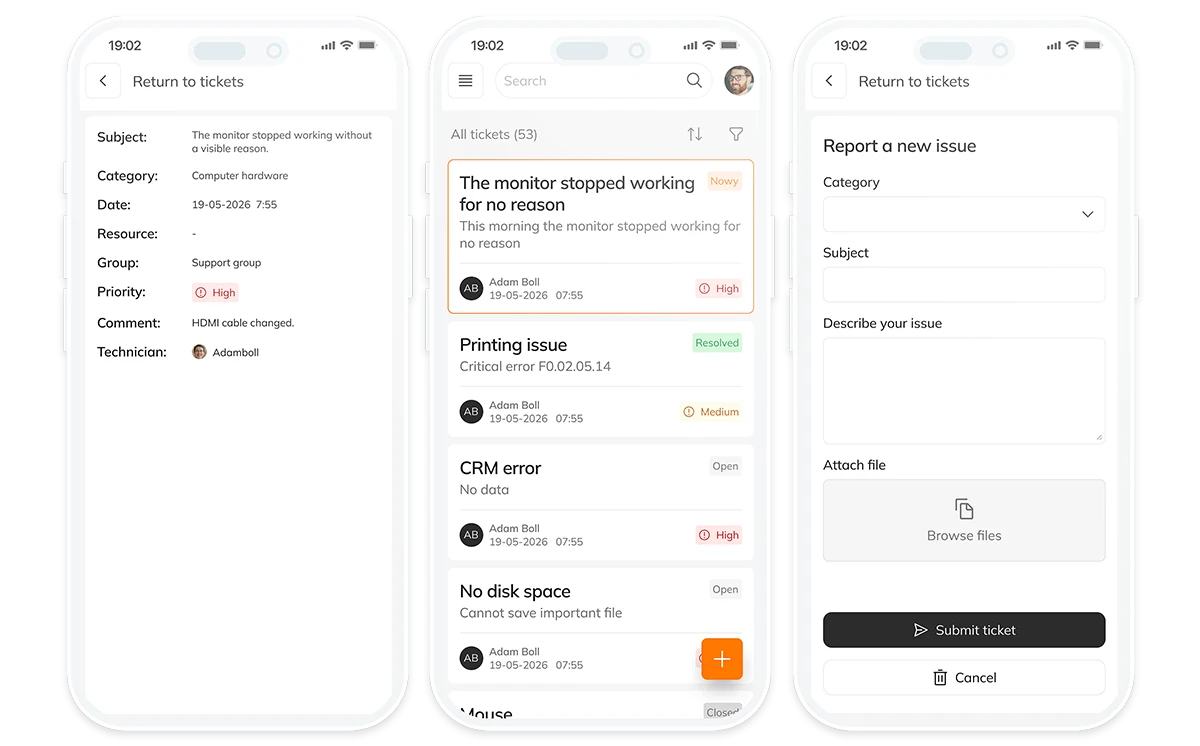
The functionality extends the capabilities of the eAuditor system’s Employee Panel with a mobile application available for Android devices. The solution enables the execution of key processes related to service requests and access to IT services from the level of a mobile device.
The application provides the user with constant access to selected system functions without the need for a workstation. Communication with the system takes place online, with data consistency between the mobile version and the central environment of eAuditor and eHelpDesk.
Within the mobile application, the user can:
- Log incidents and service requests directly from a mobile device
- View the status, history and updates of requests
- Use the IT services available in the catalog of services
- Lead communication with the IT department in handling the request
- Monitor the progress of requests in real time
The functionality supports Service Desk processes and enhances system availability for users working mobile, remotely or outside the office network.
In the eAuditor system, mobile functionality will work well in particular in the areas of:
- Incident registration
- eHelpDesk ticket service
- User communication with the IT department
- Access to the catalog of services
- Monitoring the execution of requests
Integration with Bluur AI
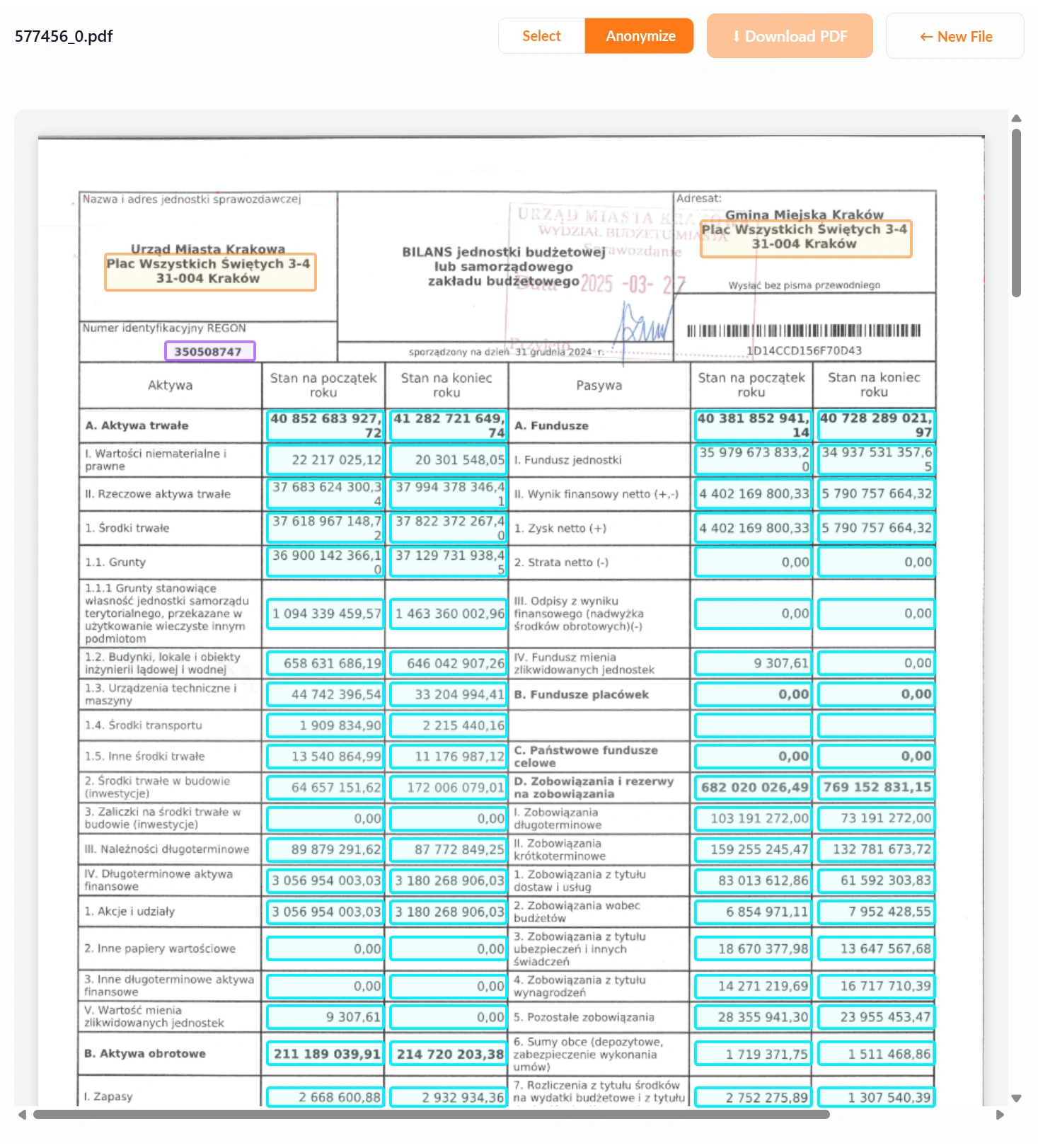
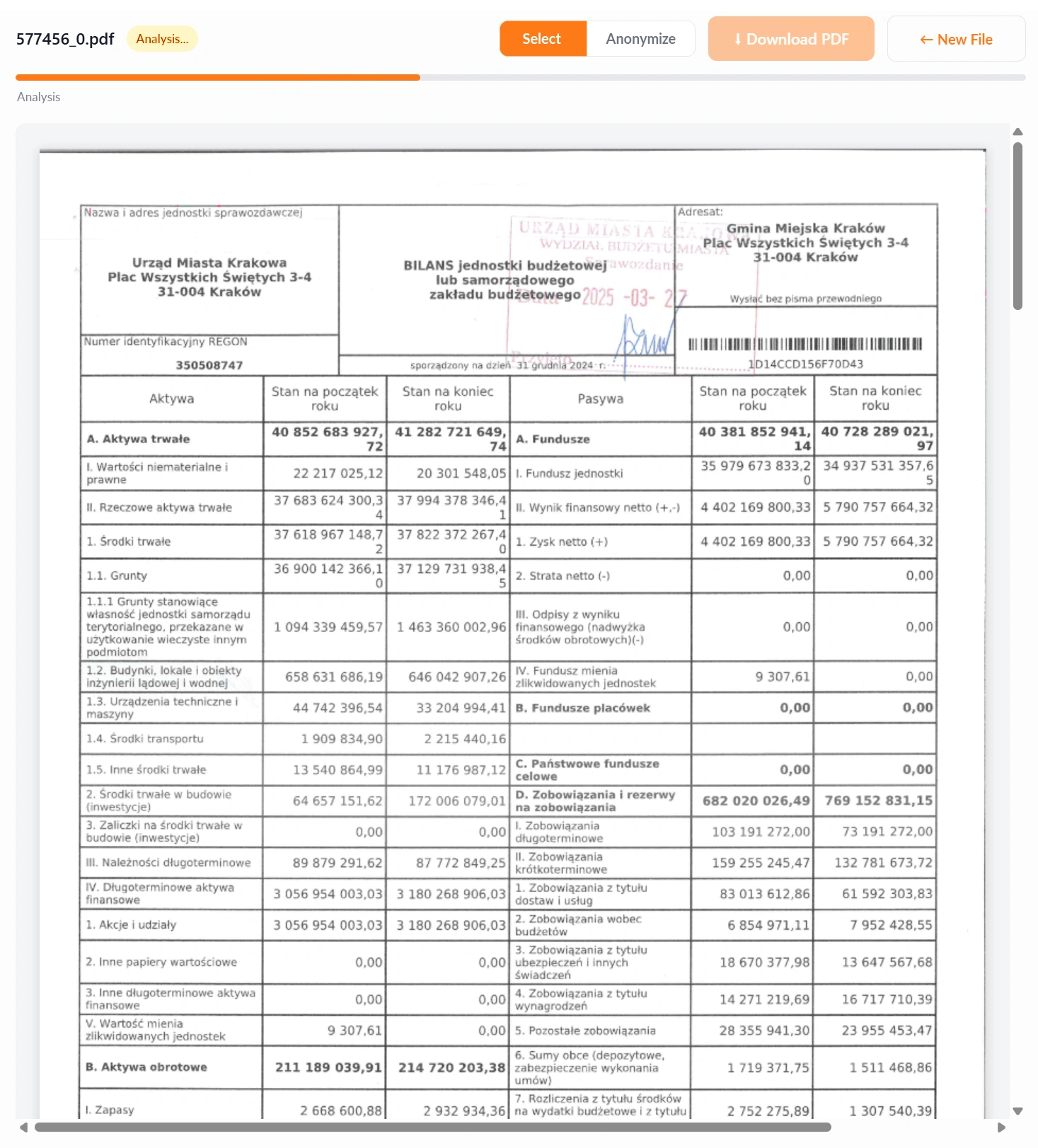
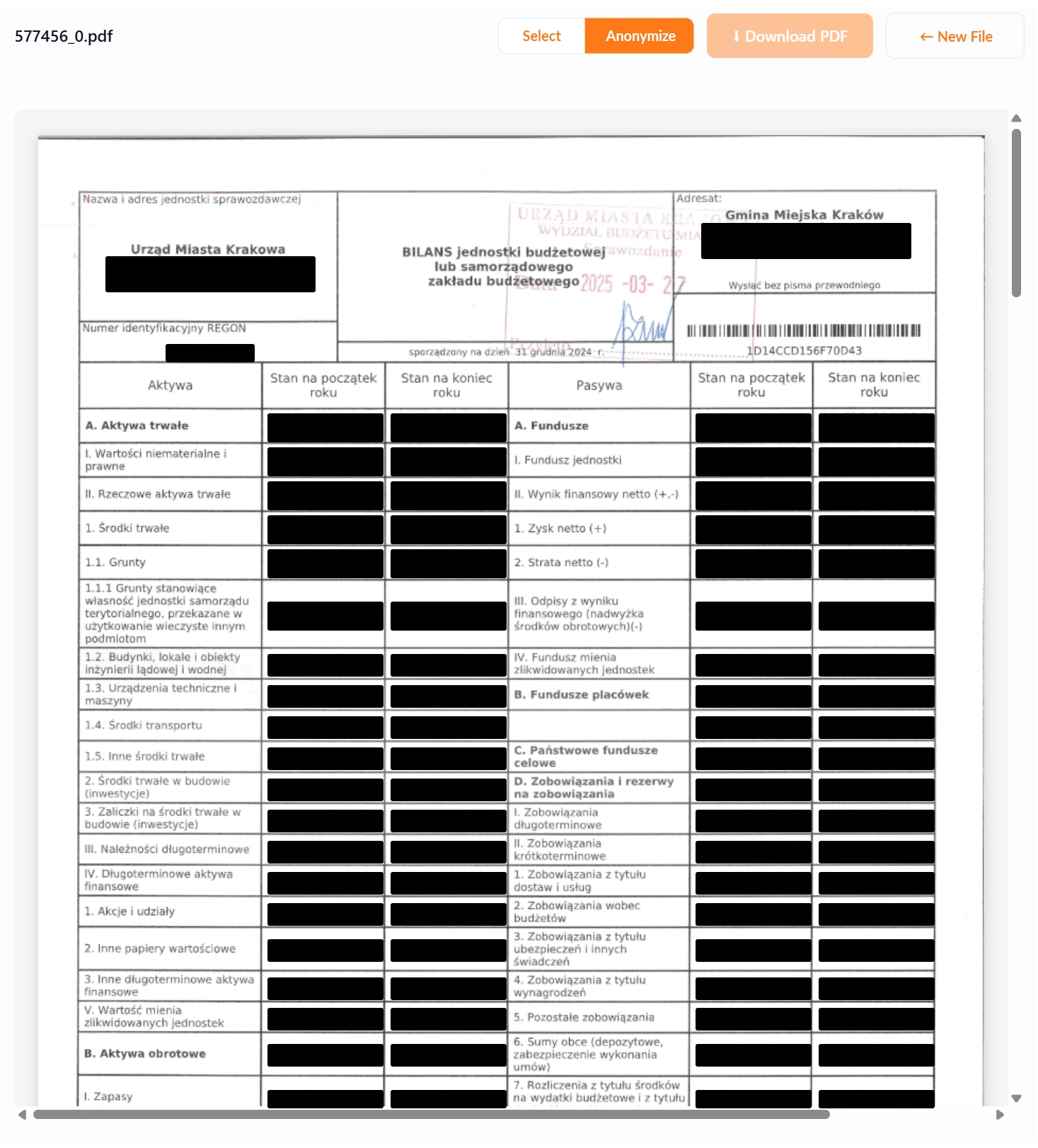
Document anonymization powered by Bluur AI extends the Employee Panel with an automatic document anonymization feature based on artificial intelligence. It enables users to quickly prepare materials for further sharing or processing without the need to manually identify and remove data that requires protection.
The entire process is carried out directly within the Employee Panel. The user can upload a document or paste its content, select a predefined anonymization scheme, and then download the processed version of the document. The feature is available in both eAuditor On-Premise and eAuditor Cloud environments.
Key capabilities of the Bluur AI integration:
- Anonymization of TXT, PDF, DOC, and DOCX documents
- Drag-and-drop file upload
- Anonymization of content pasted directly into the Employee Panel
- Use of predefined anonymization schemes
- Fast preparation of documents for further use
- Reduced risk of exposing personal data and confidential information
The solution improves the secure exchange of information and makes it possible to incorporate anonymization into users’ everyday workflows. It can be used before documents are shared with external partners, suppliers, auditors, technical support providers, or before content is further analyzed using AI tools.
Example use cases within an organization:
- Preparing documents before using them in external AI tools
- Anonymizing tickets, logs, and reports before sending them to technical support
- Securely sharing documentation with partners and suppliers
- Preparing contracts, HR documents, and internal materials
- Protecting data in documents shared outside the organization
- Standardizing anonymization rules used by employees
- Incident registration
- eHelpDesk ticket service
- User communication with the IT department
- Access to the catalog of services
- Monitoring the execution of requests