eAuditor Identity Access Management2026-07-07T15:26:52+02:00

IAM management

  • Access automation
  • Control of entitlements
  • Central access management
  • Audit of entitlements
  • NIS2 / ISO 27001 / DORA / UKSC2

Table of contents

What is eAuditor IAM?

IAM (Identity & Access Management) is a system that manages user identities and their access within an organization in a centralized, structured, and security-compliant manner. It enables granting, modifying, and revoking access to systems and data based on roles, processes, and approvals.

Three questions worth asking yourself first

01

Do you know what access rights each of your employees has?

02

How long does it take to revoke access after an employee leaves – an hour, a day, a month?

03

Can you show, in five minutes, who approved access to a critical system and why?

How does the entitlement request processing work?
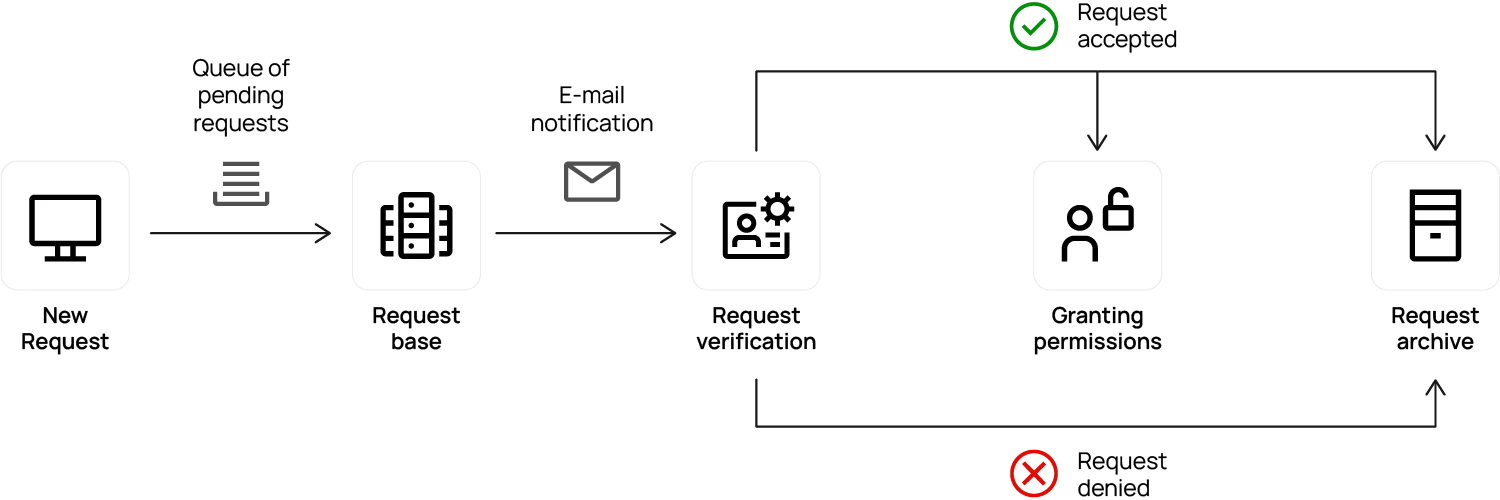
IAM request

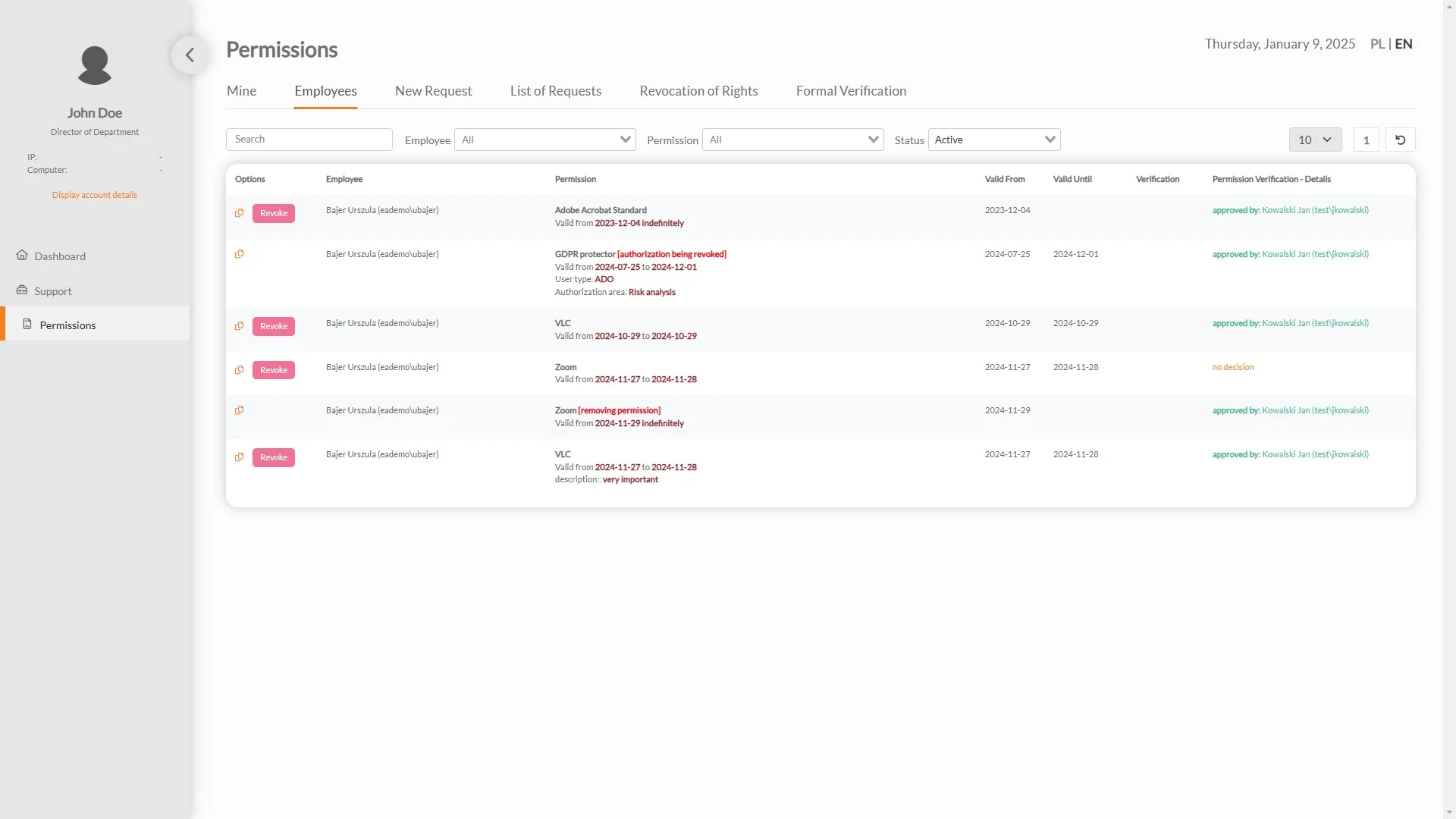
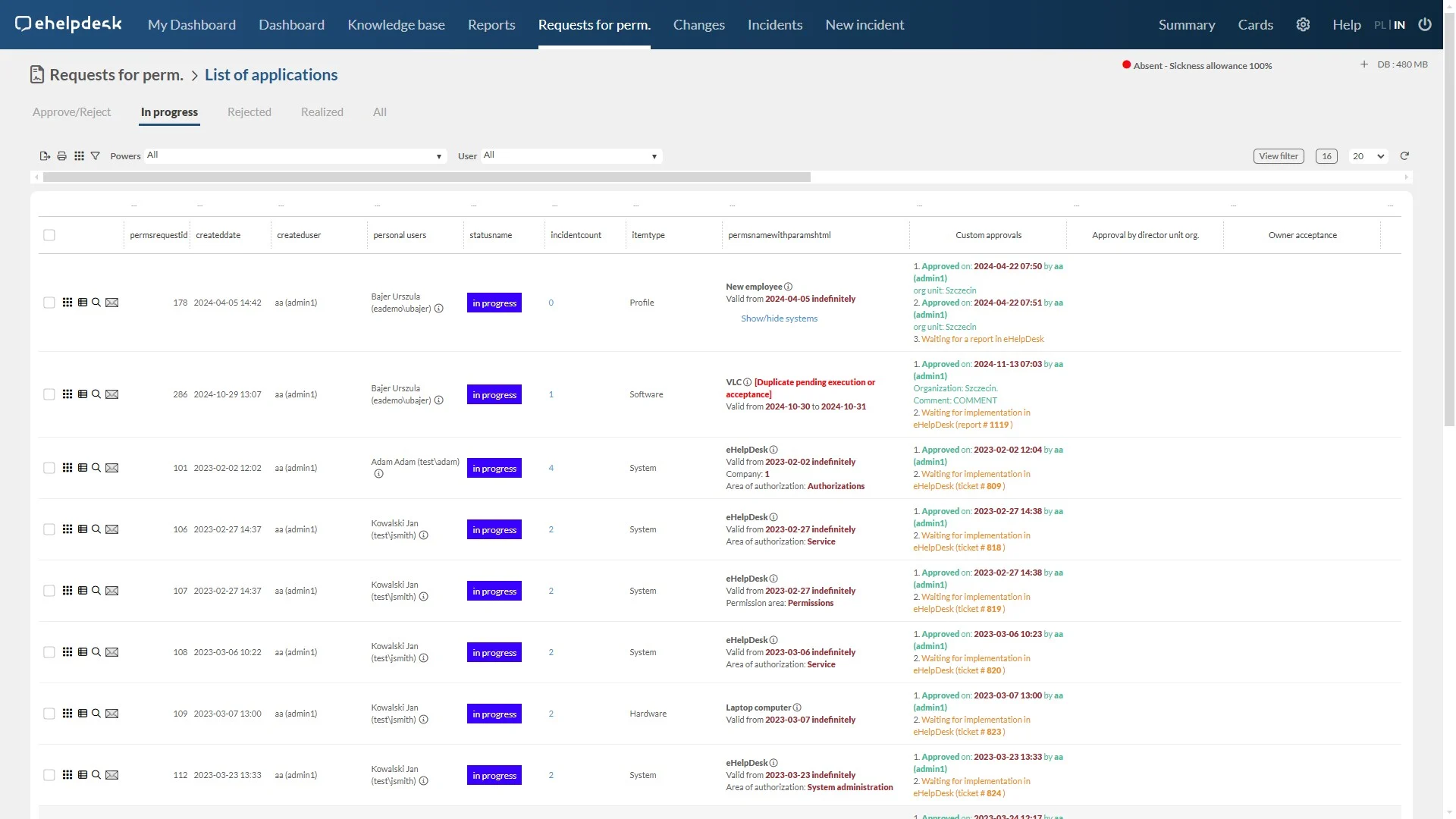
Privilege management

Employees submit requests for new resource permissions, which are automatically sent for approval.
The process is intuitive, minimizing the risk of errors.
The system automatically executes accepted requests, eliminating errors and speeding up the process.

Decision makers review and approve applications, with full insight into applicant data and potential conflicts.

Administrators manage the authorization lifecycle, with full auditing of activities.

The system supports internal audits by identifying risks and nonconformities.

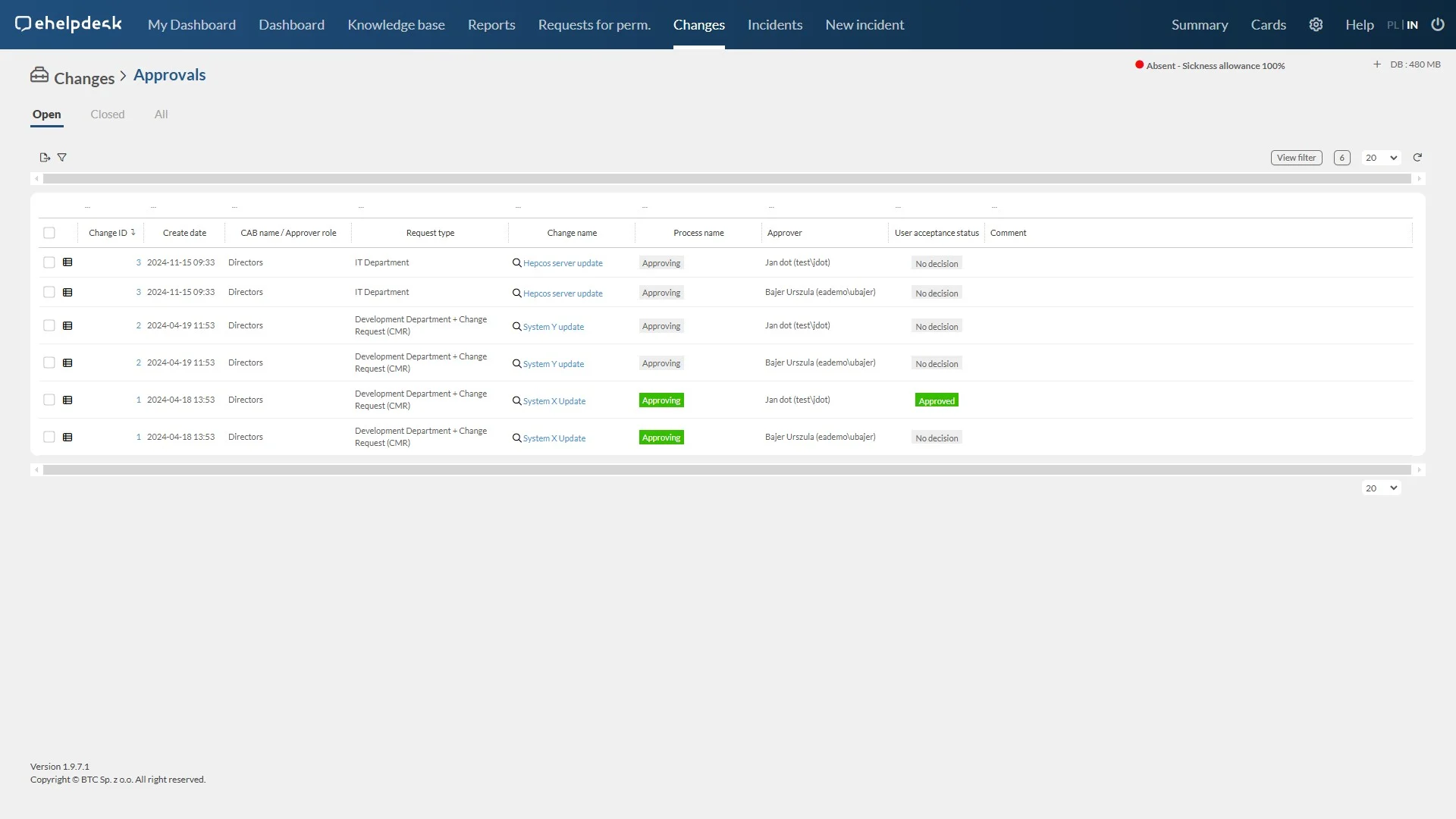
Change management

The system allows the creation and approval of plans for changes to the IT infrastructure, minimizing the risks associated with the their implementation.
Monitor the implementation of changes, according to the schedule, with automatic documentation of the process.

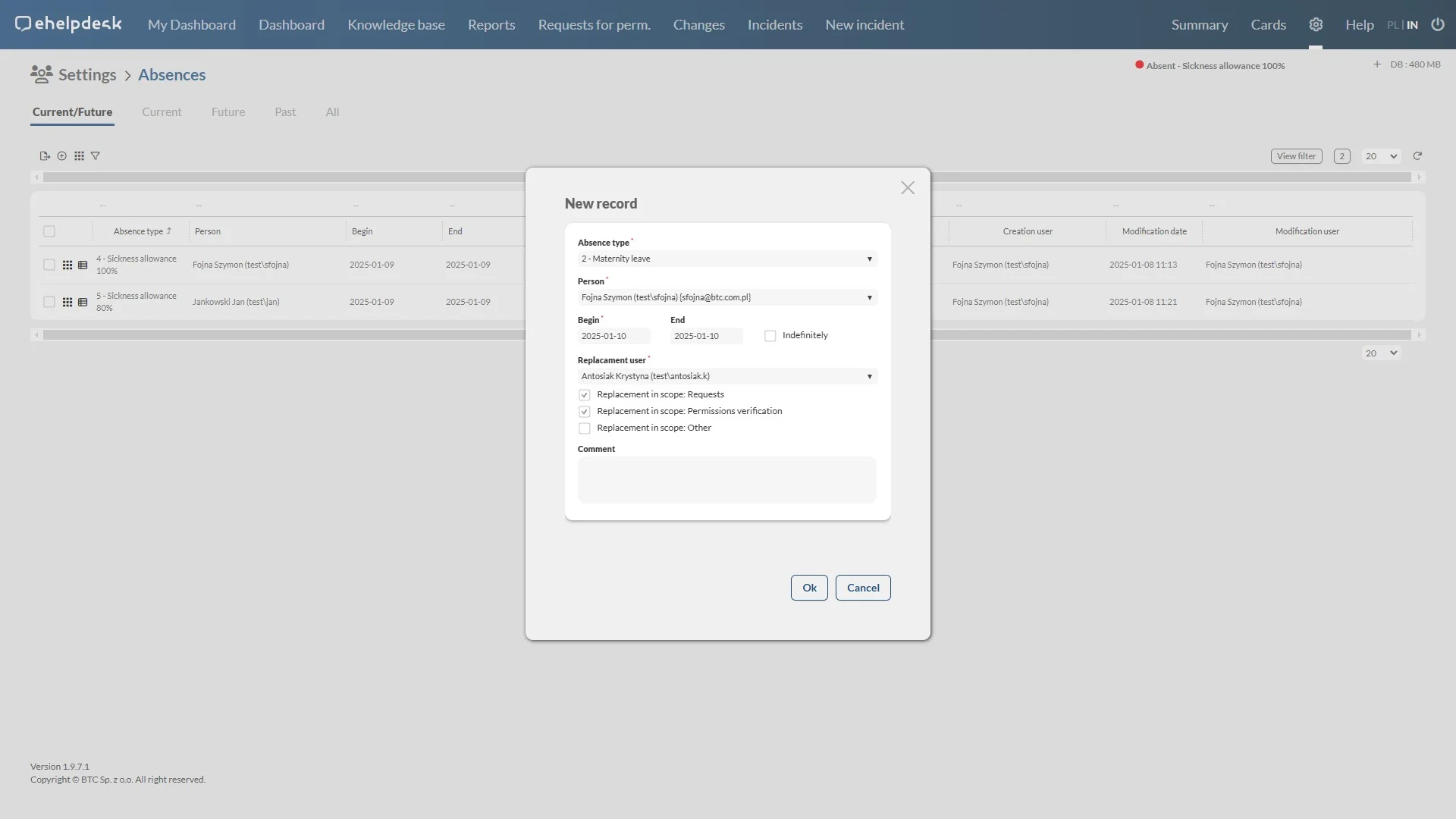
Absence and substitution management

Employees enter absence information, which is automatically sent to the appropriate people.
Automatically appoint a deputy for entitlement requests and other tasks.

Management of the application approval path

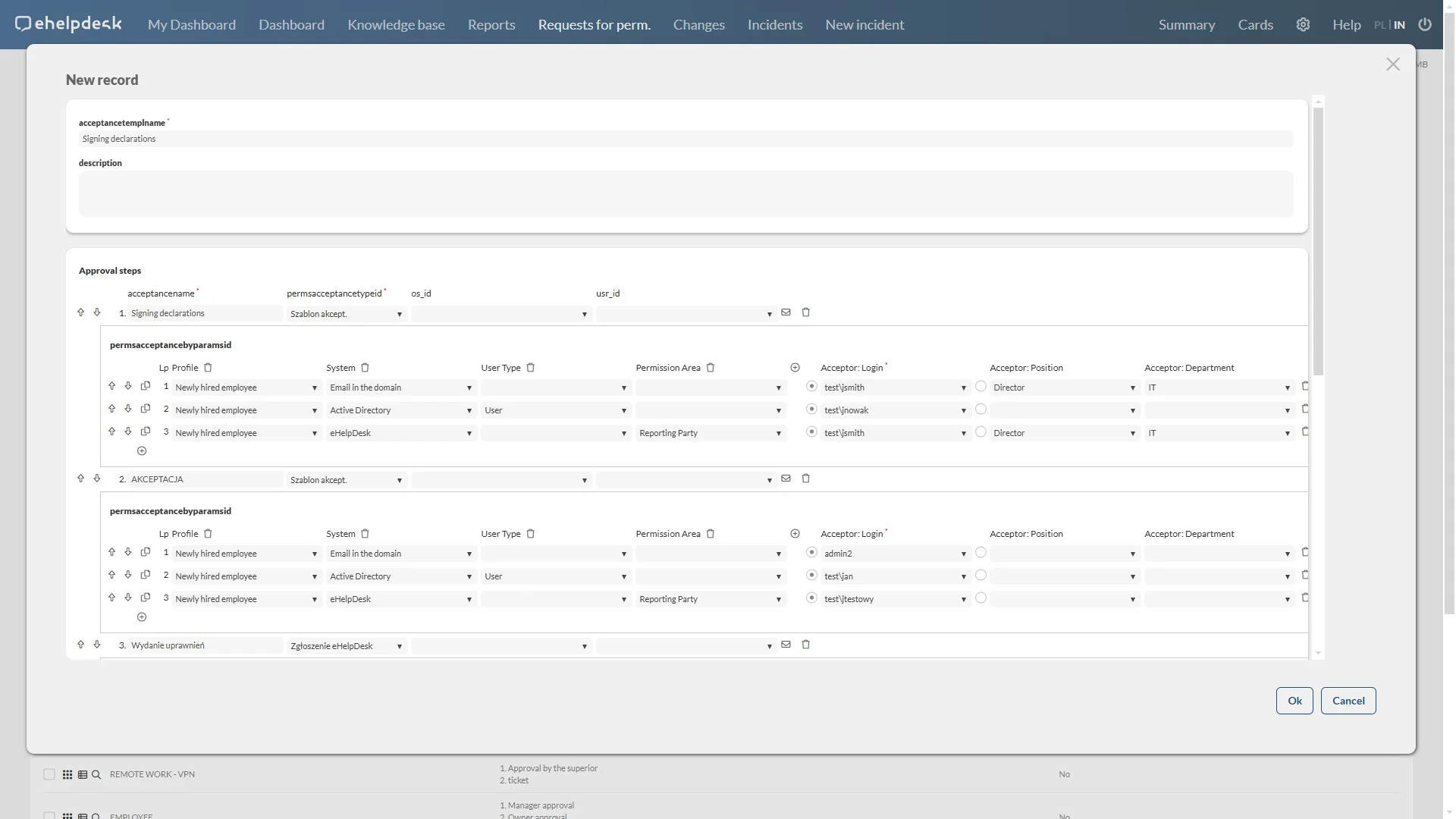
The system allows you to create, modify and delete approval templates.
The templates specify the Active Directory account responsible for accepting or rejecting the request, based on the parameters indicated by the user.
It allows recording such data as the name of the template, description of the application/service/profile, approval steps, and identification of the approver (login, position, department).
One template can be used for multiple permission definitions, provided that the parameters and criteria match.

Definitions of entitlements

The system allows the creation, modification and deletion of permission definitions for applications or profiles covering multiple services.

Determining the type of entitlement, status and support group, with the possibility of verification.

Define a support group and assign an approval template, with parameters required for registration.

Directories and statements

Centralized storage and controlled access to data on users, resources and permissions.

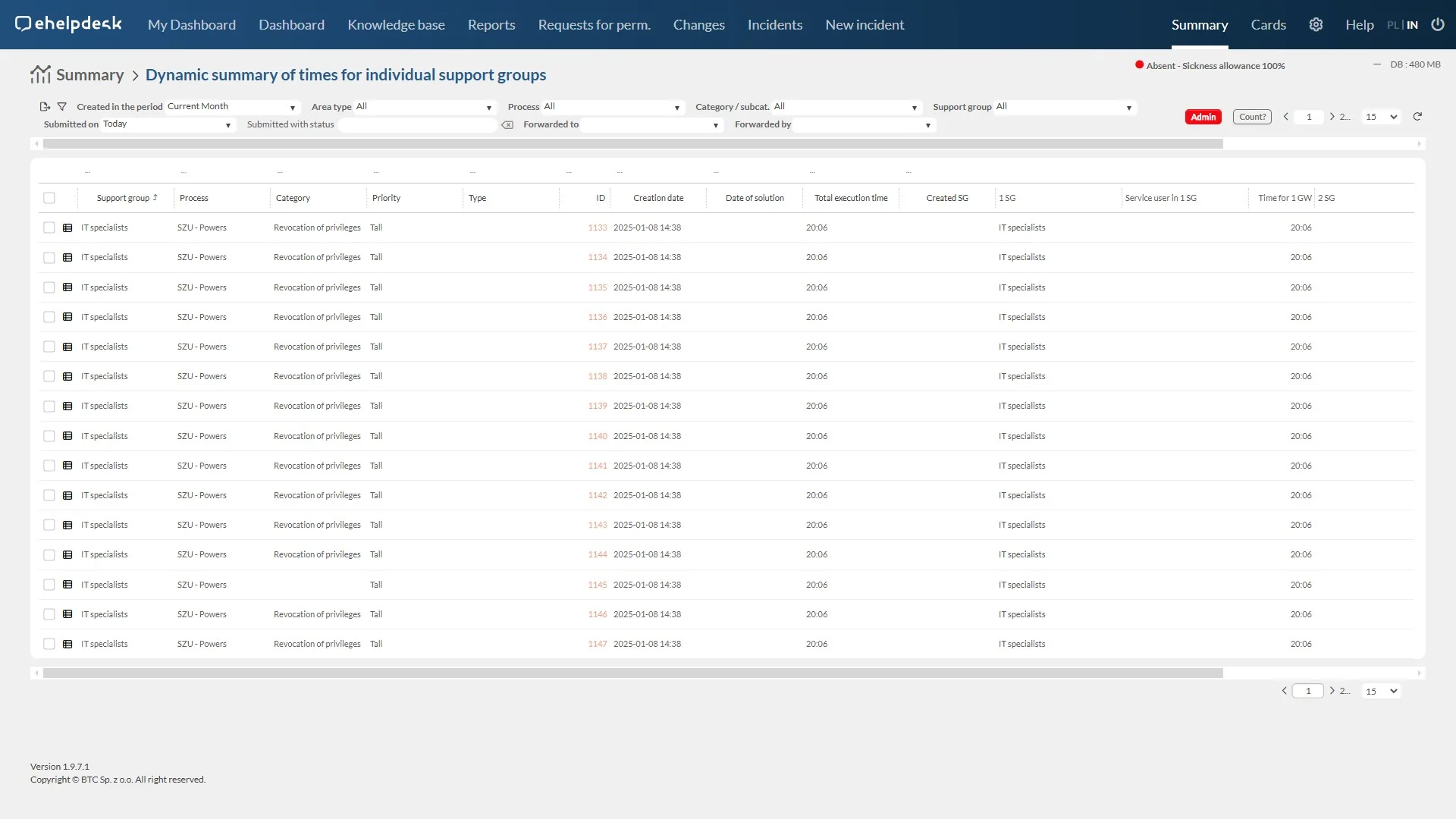
Generate operational and strategic reports based on collected data.

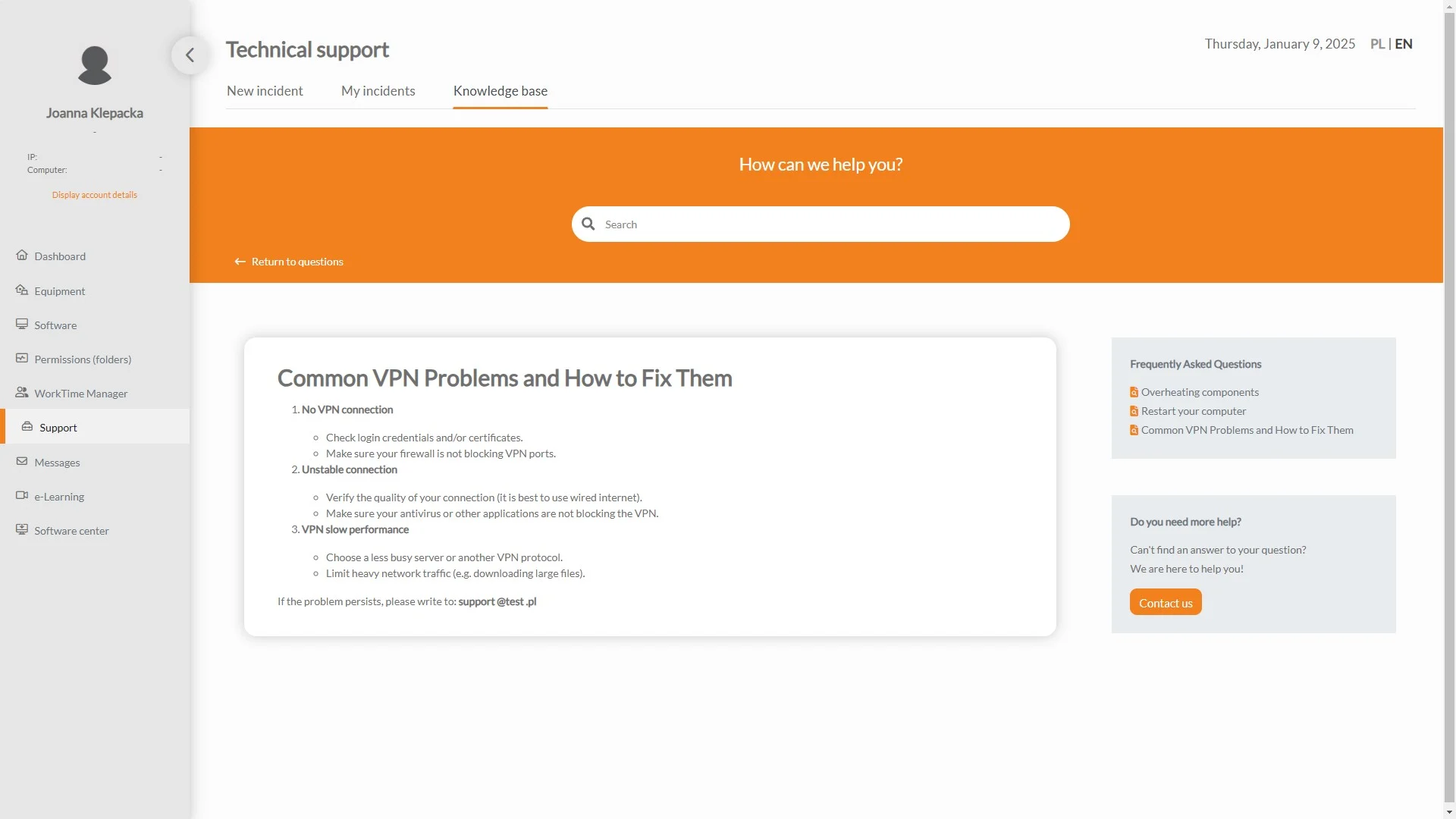
Support portal

Users can quickly create technical requests that go to the appropriate support team.
Users track the status of requests in real time, with access to request history.
Access to an updated knowledge base for self-solving problems.

Benefits

What does implementation look like?

eAuditor IAM

We get to know your organization

We meet with you and define which systems should be included in the access governance process, who approves requests, and what decision paths look like in your company or public institution. The result is a process map tailored to your needs.

eAuditor IAM

We deploy the system in your environment

We perform the installation remotely in your infrastructure (on-premise). We configure directories, permission definitions, and processes.

eAuditor IAM

We perform the initial inventory

We retrieve current access rights from source systems and Active Directory and subject them to a two-step verification. After this stage, your organization knows for the first time exactly who has what access – and whether they should actually have it.

eAuditor IAM

We support you after go-live – standard SLA-based support

In the months following go-live, we provide support: ongoing system monitoring, handling service requests, configuration adjustments, and fine-tuning processes to your organization’s reality. The goal of this phase is full stabilization of the deployment.

IAM management – questions and answers

Does the system allow for planning and managing longer periods of absence, such as maternity leave?2026-07-07T10:28:38+02:00

Yes, the system allows you to plan and manage longer periods of absence—such as maternity leave—by automatically assigning substitutes and updating permissions during the absence.

Does the system support access control for different roles and access levels?2026-07-07T10:29:30+02:00

Yes, the system supports permission verification for various roles and access levels, enabling the control and auditing of permissions assigned to specific roles and access levels in IT systems.

What is an opening balance audit in the IAM system?2026-07-07T10:30:35+02:00

The opening balance audit is a feature used to import and verify the current permissions granted to employees. After importing the data into the system, the administrator can verify that the access rights granted to IT systems are in compliance.

Is it possible to grant temporary permissions to employees?2026-07-07T10:31:29+02:00

Yes, the system allows you to grant permissions with a specific expiration date. When granting permissions, you can set the start and end dates for the permissions, which is useful for projects with a limited duration or tasks that require temporary access.

Where is the data stored?2026-07-07T11:04:23+02:00

On-premises, within the customer’s infrastructure. Data never leaves the organization or Poland—with no reliance on a foreign cloud provider and no annual subscription fee.

Does the eAuditor IAM system integrate with Active Directory?2026-07-07T10:26:07+02:00

Yes, the system integrates with AD. You can automatically import data from AD, including user information, system access permissions (domain login capability), and organizational structures.

Is the IAM system scalable?2026-07-07T10:27:33+02:00

Yes, IAM systems are generally scalable and can be tailored to the needs of small, medium, and large enterprises. They can be expanded as the company grows and its identity management needs evolve.

How do IAM approval templates work?2026-07-07T10:29:43+02:00

Approval templates make it possible to clearly identify the individuals responsible for approving or rejecting a request. They also define email notifications that inform all participants in the authorization process.

How long does implementation take?2026-07-07T10:46:42+02:00

Permission verification begins immediately after implementation, and the first presentation takes one hour. The total time depends on the number of systems, the complexity of the approval workflows, and the organization’s readiness.

Does the system allow users to check their current permissions from the Employee Dashboard?2026-07-07T10:47:04+02:00

Yes, the Employee Dashboard allows you to view the current permissions assigned to a given user. The user can see a list of all systems and roles to which they have access, as well as details about each permission.

Contact us

    Contact information
    Indicate the subject of your message
    The administrator of your personal data is BTC Sp. z o.o. For more information, please see the personal data processing policy.