
KSC in Practice with eAuditor
KSC in Practice with eAuditor
Control Cybersecurity and Document Actions
Control IT infrastructure security, streamline incident management, and document actions for KSC compliance.
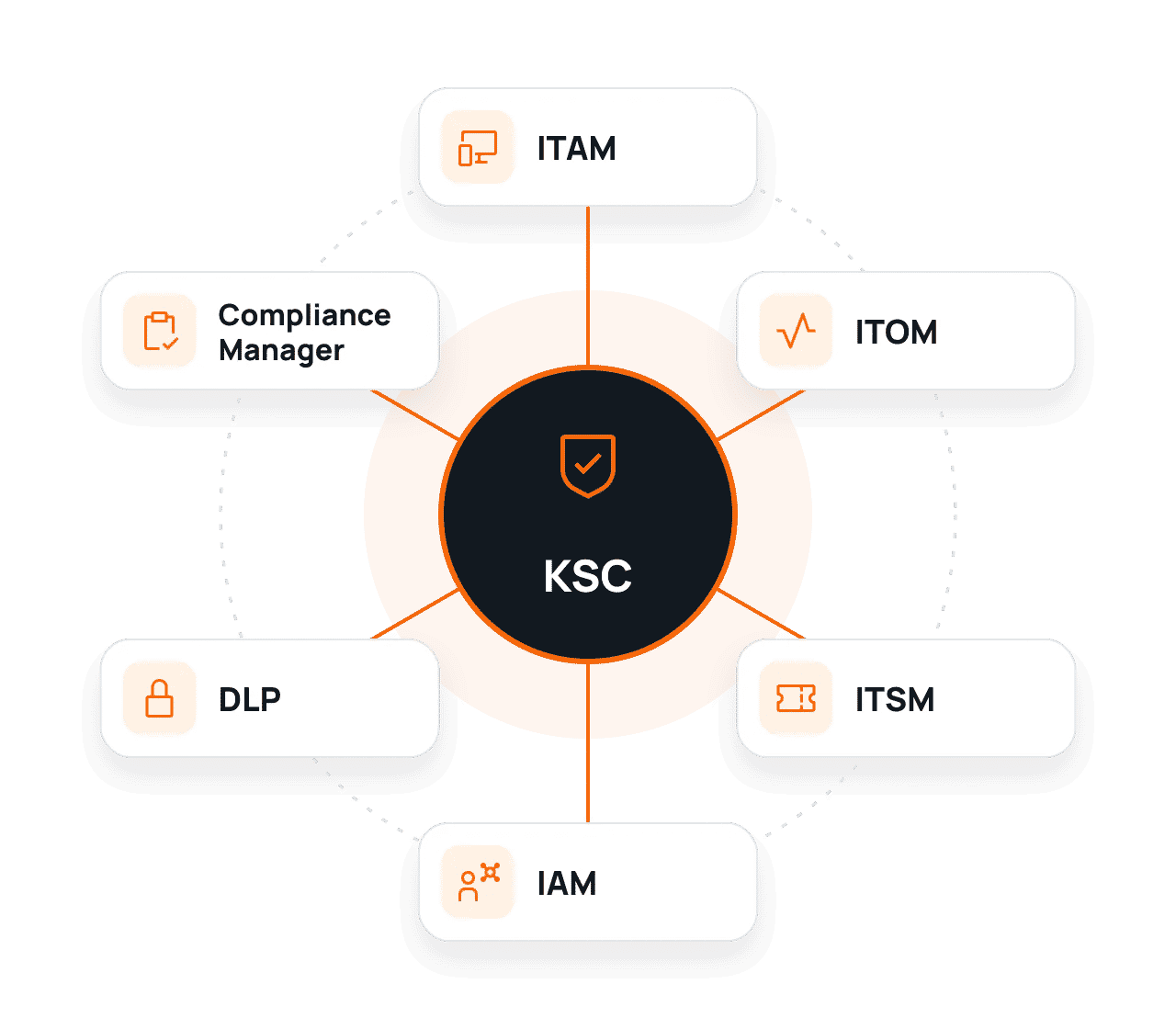
How eAuditor Supports KSC Requirements?
Detect irregularities, organize IT team work, and gather information to demonstrate the application of selected safeguards. See how to use these features in the context of KSC.
01
Identify IT Assets
Determine which devices, systems, and applications are in use.
02
Control Security
Monitor services, configurations, and permissions.
03
Retain Action History
Log incidents and prepare data for audits.
eAuditor Features Supporting KSC
See how individual modules help monitor the IT environment, control access, and prepare reports.
01
ITAM – Full Control Over IT Assets
Automatically detect devices and software. Check their configurations, versions, and change history.
WHAT CAN YOU DOCUMENT?
Device and software registry, system versions, and change history.
02
ITOM – IT Infrastructure Monitoring
Track system and service availability. Receive alerts about failures and irregularities.
WHAT CAN YOU DOCUMENT?
Service availability history, alerts, event timestamps, and reports.
03
ITSM – Efficient Incident Handling
Log incidents, assign responsible persons, and track corrective actions.
WHAT CAN YOU DOCUMENT?
Tickets, response times, and service history.
04
IAM – Access Management
Organize user permissions and review access to systems and resources.
WHAT CAN YOU DOCUMENT?
Permission lists, access requests, and decisions.
05
DLP – Corporate Data Protection
Control USB media usage and restrict unauthorized data copying.
WHAT CAN YOU DOCUMENT?
Protection policies, events, and media usage history.
06
Compliance Manager – Compliance Control
Compare device settings with adopted security policies and detect deviations.
WHAT CAN YOU DOCUMENT?
Audit results, non-compliance reports, and change history.
Detect Threats. Respond Faster. Document Actions.
See how eAuditor helps manage events in IT infrastructure and prepare information needed in the context of KSC.
How eAuditor Helps Fulfill KSC Requirements?
Explore the areas where eAuditor’s functions assist in daily IT operations and documentation collection.
| Area / Requirement | How does eAuditor help? | What can you document? |
|---|---|---|
| Area 01 Security management Information security management system | Build an up-to-date view of your infrastructure and verify security settings. ITAM + Compliance Manager | Device inventory and configuration reports. An information security management system (ISMS) also includes documentation, roles, and organizational decisions. |
| Area 02 Risk management Risk management measures | Detect configuration deviations and establish the technical context for risk assessment. ITAM + Compliance Manager | Lists of deviations and change history. Risk assessment and acceptance require decisions by the organization. |
| Area 03 Cybersecurity incidents Incident handling and reporting | Connect monitoring alerts with tickets and activity history. ITOM + ITSM | Alerts, tickets, and incident handling history. Incident classification and reporting to the relevant CSIRT require a separate process. |
| Area 04 Continuity of service delivery Operational resilience and business continuity | Monitor the availability of services and their associated assets. ITOM + ITAM | Downtime history and availability reports. Business continuity plans, backups, and recovery tests are not covered by monitoring alone. |
| Area 05 Supplier security Dependencies on external solutions | Review manufacturers, product versions, and the components of your IT environment. ITAM | Hardware and software inventories. Contracts and supplier security assessments require separate activities. |
| Area 06 Access and configuration Control of technical safeguards | Organize user permissions and detect deviations from established rules. IAM + DLP + Compliance Manager | Access reviews, configuration reports, and DLP events. The scope of security measures depends on the organization's requirements and risk profile. |
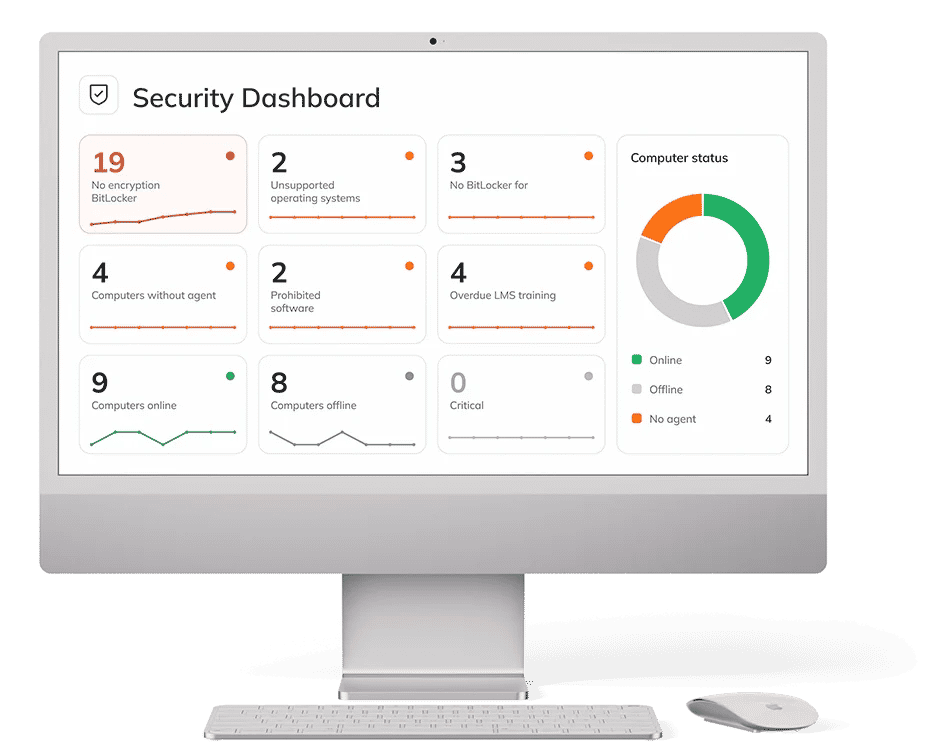
Example 01 | Situation
New Device
ITAM detects the device, and Compliance Manager helps verify its settings against rules.
Example 02 | REACTION
Service Failure
ITOM generates an alert, and ITSM organizes ticket handling and action logging.
eAuditor Supports More Than Just KSC
One system, many applications. See how eAuditor helps manage IT security in the context of other regulations and standards as well.
NIS2
Identify vulnerabilities, assess risks, and prioritize corrective actions. Detect weaknesses in IT infrastructure and reduce the risk of security incidents.
DORA
Increase control over ICT systems, monitor their availability, and streamline incident handling. Document actions supporting technological risk management.
ISO 27001
Manage IT assets, control permissions, and check device configurations. Collect information needed during security audits.
Frequently Asked Questions about KSC and eAuditor
eAuditor supports IT asset management, infrastructure monitoring, incident handling, and configuration and access control. It also facilitates documenting cybersecurity-related activities.
ITAM helps detect and inventory devices and software, check versions, and track changes. This makes it easier to maintain a current view of the infrastructure.
ITSM allows for assigning tickets, recording decisions and corrective actions, and maintaining the chronology of events. This history facilitates analysis and the preparation of information for the relevant teams.
Depending on the modules implemented, you can generate asset registers, availability reports, ticket histories, access rights lists, and reports on non-compliant configurations.
Compliance Manager compares selected settings against established policies and helps detect deviations. Audit results facilitate planning remediation and documenting changes.
Information on service availability, incident history, and recurring issues enables earlier detection of business continuity threats and better response planning.
Yes. Its modular design allows for tailoring functions to the infrastructure, scale of operations, and IT team priorities, as well as gradually expanding controls.
Want to see eAuditor in action?
Check how selected modules can support processes in your organization.