IT Equipment Management
- Configuration of computers and servers
- Users and device locations
- Hardware reports and data history
Spis treści
Complete overview of computer and server configurations
Managing an extensive IT infrastructure requires precise knowledge of device technical parameters, their deployment, and usage. eAuditor provides access to detailed data on computers and servers, including those operating outside the organization’s local network, enabling administrators to control equipment without the need for physical inspection of individual workstations.
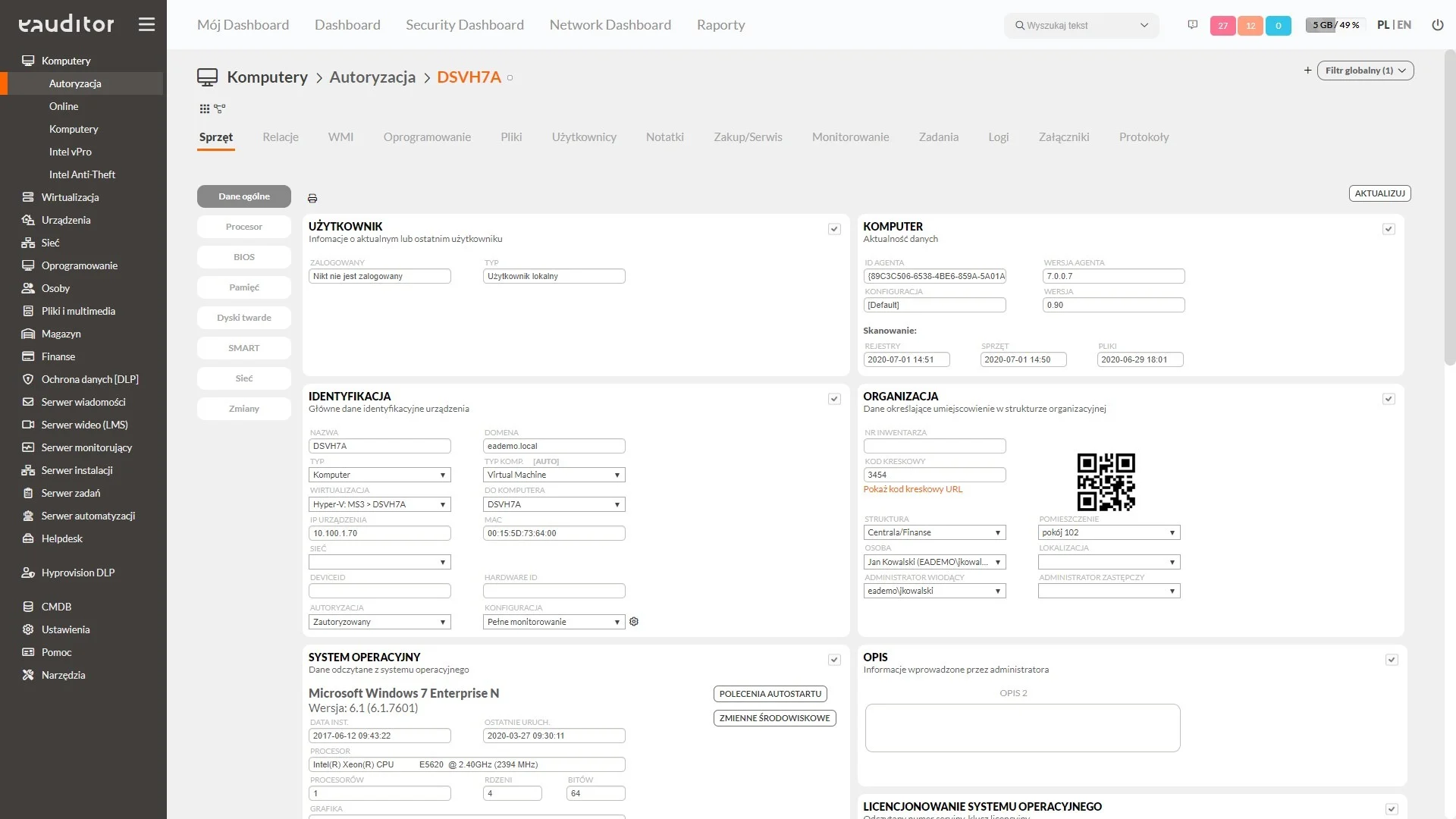
The administrative console provides information on processors, RAM, disks, operating systems, and device identification data such as manufacturer, model, and serial number. Linking this information with users and locations allows for quickly determining which resources are in specific departments and what configuration they have.
Detailed hardware summaries are particularly useful for diagnosing technical problems, comparing equipment across different organizational units, and preparing for infrastructure modernization. Administrators can identify computers with insufficient parameters, assess expansion possibilities, and plan device replacements according to the organization’s actual needs.
Key Capabilities:
- Automatic inventory of computers and servers, also outside the local network,
- Detailed preview of processor, RAM, disk, and operating system parameters,
- Device identification based on manufacturer, model, and serial number,
- Linking hardware with users and locations in the organizational structure,
- Generating summaries and reports on IT infrastructure configuration.
Automatic hardware identification
Computers used in an organization are not always located on a single local network. Some devices operate in branches, while others are used by remote employees. eAuditor enables the acquisition of information about computers regardless of their location, including devices operating outside the corporate network, even behind NAT.
The inventory process can include automatic device detection and data import from Active Directory. This allows for faster identification of resources within the infrastructure and their inclusion in the central inventory without the need to manually create records for each workstation.
The collected information helps administrators control the scope of inventoried infrastructure, identify new devices, and maintain an up-to-date list of computers and servers used in the organization.
Detailed device configuration
Each computer and server has a specific hardware configuration that affects its capabilities and application in the IT environment. In eAuditor, detailed technical information is presented on device cards, providing administrators with access to the parameters of individual assets.
Data includes, among others, device models and serial numbers, processors, RAM, disks, network cards, and installed operating systems. For servers, it is also possible to view information regarding associated virtual machines.
Such a detailed configuration overview facilitates comparing devices, verifying their parameters, and identifying differences between individual computers and servers. Administrators can use this data when diagnosing technical problems and assessing the hardware capabilities of the infrastructure.
Administrative support and planning
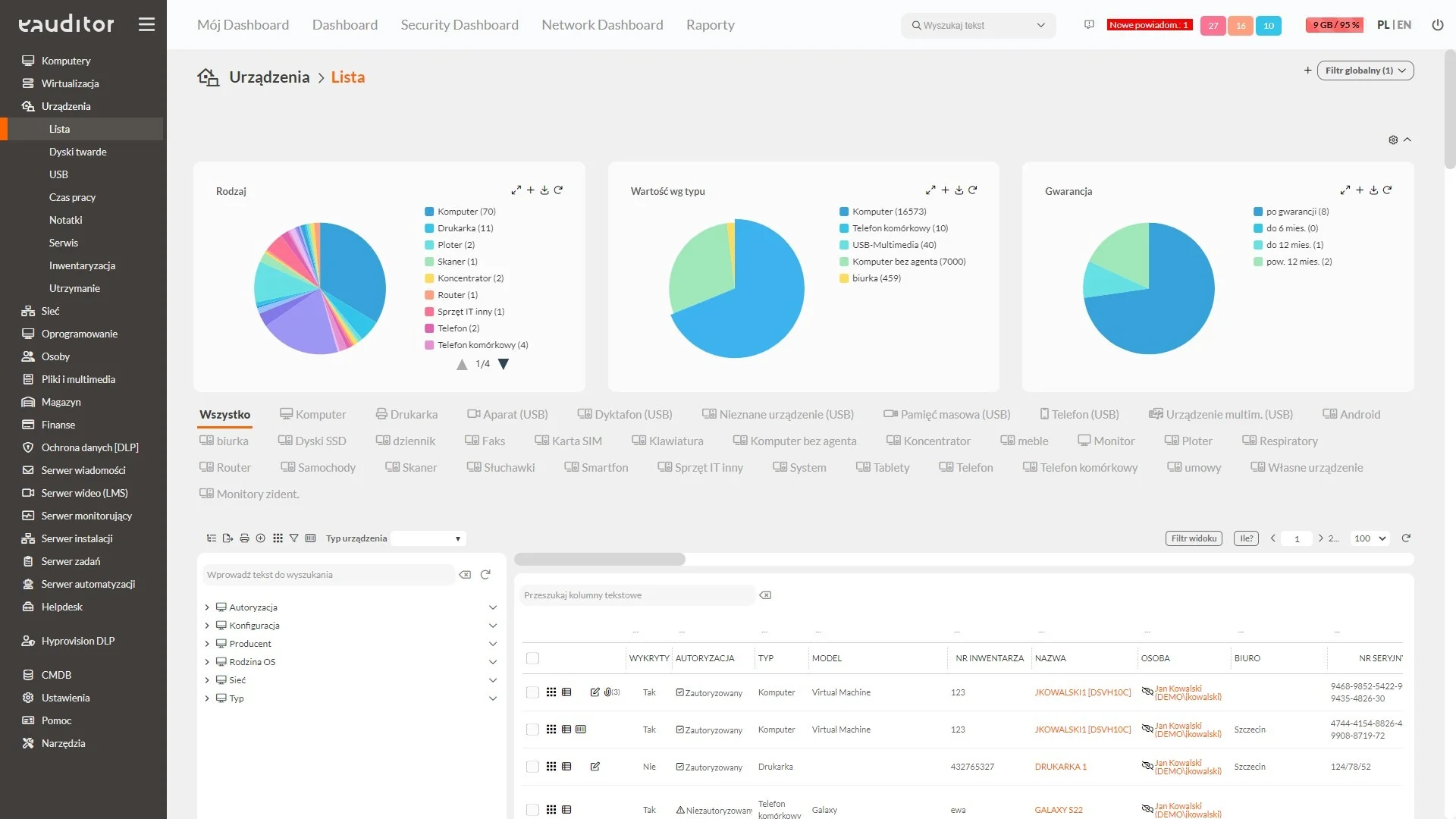
Computer replacement or server expansion should result from the organization’s actual needs and the capabilities of the existing infrastructure. The information collected by eAuditor allows for assessing the technical equipment of devices and identifying resources that may require modernization.
Administrators can compare computer configurations used in different departments, identify devices with insufficient parameters, and check whether existing hardware meets the requirements of planned software.
Access to user and location data further facilitates determining which parts of the organization have the greatest need for equipment replacement or expansion.
Hardware summaries support the preparation of purchasing plans, prioritization of modernization, and decision-making regarding the further use of computers and servers. This allows for better utilization of existing resources and limits the purchase of unnecessary devices.