
IT Knowledge Base.
Answers available instantly.
IT Knowledge Base.
Answers available instantly.
A single place with solutions to the most common technical issues. Employees find answers faster, and the IT department can focus on tickets that require individual handling.
1100+
eAuditor Implementations
190k+
Monitored devices
4100+
Training sessions conducted
20+
Years of development
Knowledge that employees can use on their own.
The eAuditor ITSM Knowledge Base gathers published solutions to recurring incidents and problems. Users can search for an answer without having to open a new ticket.
01 | SEARCH
Quickly find answers
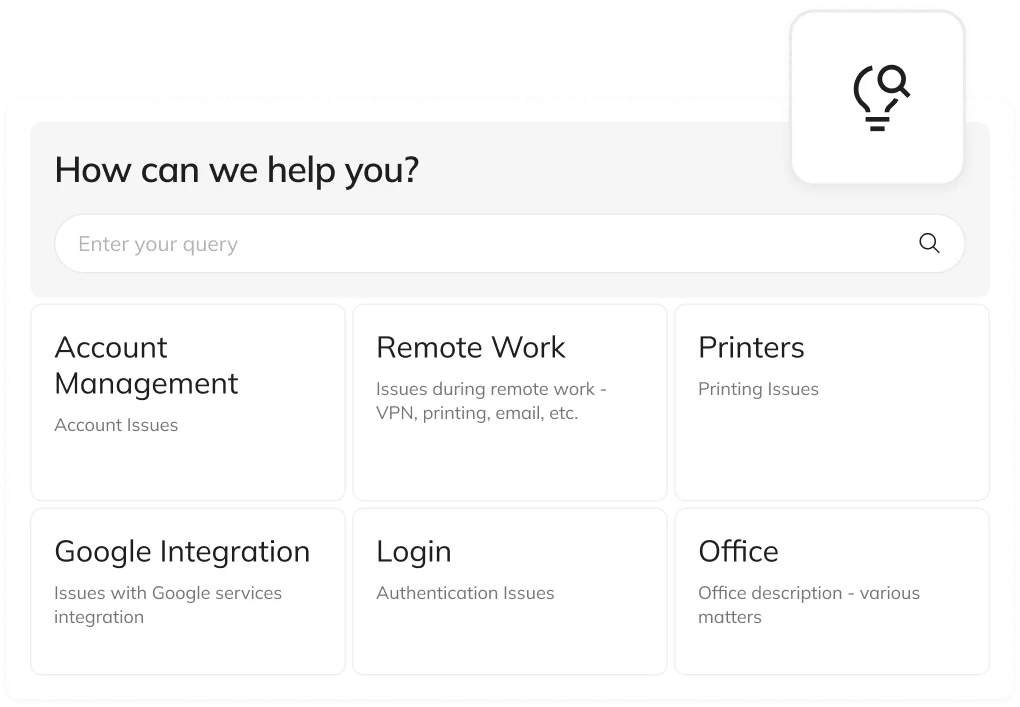
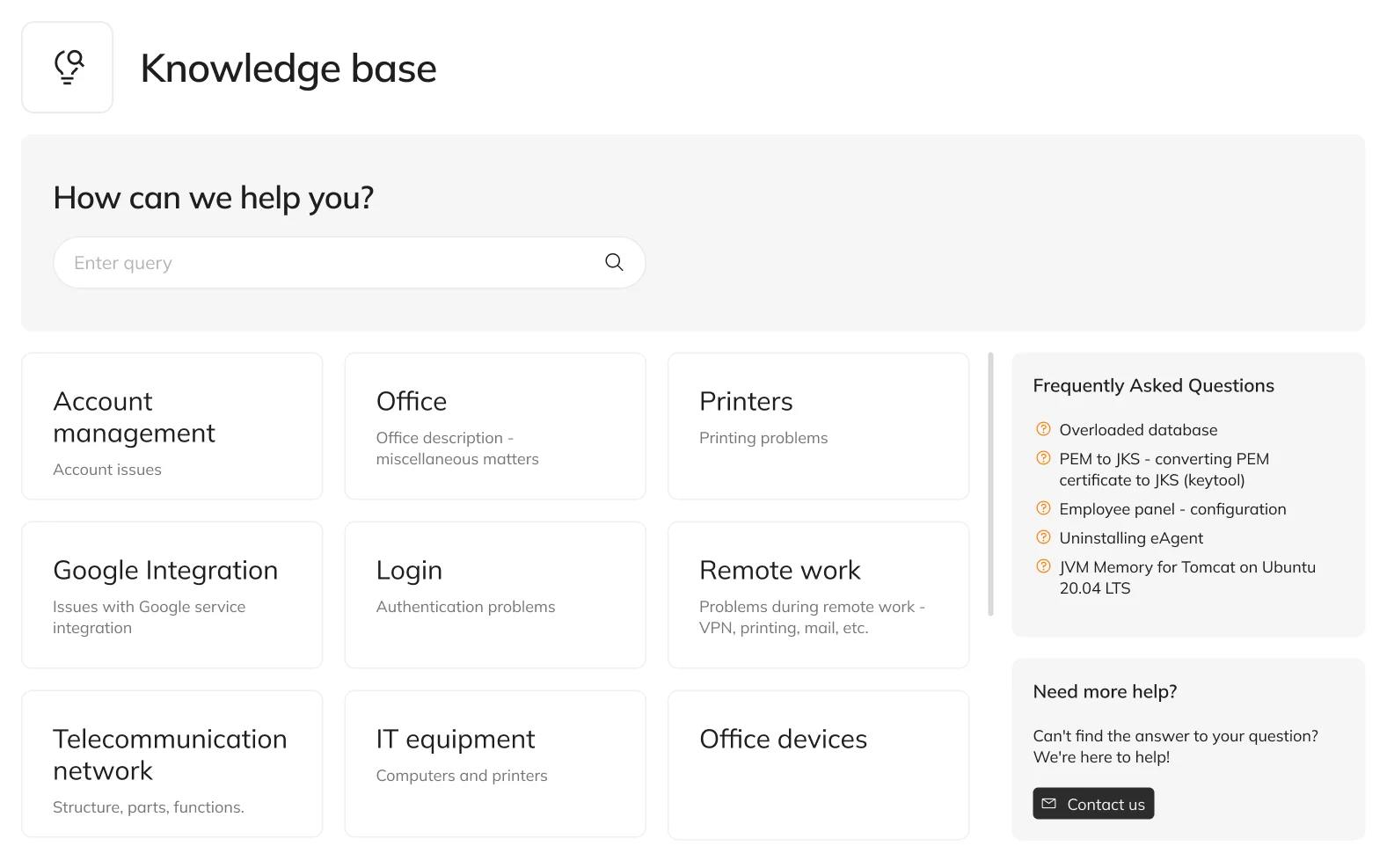
The employee enters the topic they’re looking for into the search bar and accesses available materials related to the issue.
02 | CATEGORIES
Knowledge organized by topic
Solutions are available in categories that make it easier to find information related to a specific IT area.
03 | FAQ
FAQs
The most popular topics can be found without browsing through all categories.
04 | INSTRUCTIONS
Ready-made solutions to problems
The knowledge base provides published entries covering recurring incidents and technical difficulties.
05 | HELPDESK
Convenient access to knowledge
This feature is part of the Helpdesk system, where users also access technical support services.
06 | TICKETS
Easy transition to submitting a ticket
When no answer is found, the employee can go to the ticket form and ask the IT department for help.
Knowledge Base and Helpdesk in one environment.
With eAuditor, employees don’t have to choose between searching for an answer and contacting technical support. Both options are available within IT support handled through the Helpdesk.
- Solutions available in clear categories
- Easy access to frequently asked questions
- Ability to escalate an issue to the Helpdesk when additional support is needed
From problem to answer. In just a few steps.
A consistent support path helps employees first make use of available knowledge, and then, if needed, submit a ticket.
Opens the Knowledge Base
Uses the search bar, categories, or the list of frequently asked questions.
Fewer routine questions. More time for important IT tasks.
A shared base of proven answers helps organize technical support and increase employee self-sufficiency.

Reduced workload for the IT department
Recurring questions can be resolved using published instructions, without involving a specialist for every case.

Faster access to information
Employees no longer need to search for answers across scattered messages and documents. They use a single, organized knowledge base.

Consistent answers
Shared solutions help deliver uniform instructions for the most common issues.
One knowledge base. Many everyday problems.
Organize the instructions and solutions used by employees in their daily work.
Logins and accounts
The most common questions related to authentication and the use of work accounts.
Printers and devices
Common issues with printing and using office equipment.
Remote work
Instructions for users working outside the office, e.g. related to VPN.
IT equipment
Tips on using computers and technical equipment.
Network and connections
Solutions to common issues with accessing network resources.
Applications and integrations
Answers to recurring questions related to the tools in use.
Frequently asked questions about the Knowledge Base
It’s an organized collection of published solutions to recurring IT problems and incidents that employees can use on a self-service basis.
The knowledge base is available in Helpdesk as part of the eAuditor technical support area.
Employees can use the search bar, browse predefined categories, or check the frequently asked questions.
The user can go to the submission form and report the problem to technical support.
No. It complements Helpdesk, allowing employees to find answers to common problems themselves, and for more complex issues, it enables them to submit a ticket.
Help employees find the answer.
Reduce the workload on your IT department.
See how the Knowledge Base works within the eAuditor Helpdesk system and how it complements ITSM ticket handling.