License management
- License and Installation Registry
- License Compliance Control
- Data for SAM Audit
Spis treści
Installations and Licenses Under Control
Controlling software within an organization requires not only knowledge of installed applications but also the ability to compare them with existing license entitlements. eAuditor combines data from automatic software inventory with license information, providing administrators with a clear picture of the software environment.
In the administrative console, you can check which applications are on individual computers, what versions they are, and which vendors provide them. The collected information helps identify potential license non-compliance, control software deployment, and make decisions regarding the purchase of additional entitlements.
Combining license inventory with installation data streamlines the preparation of SAM (Software Asset Management) audits and allows for better planning of software expenditures.
Key Capabilities:
- Automatic inventory of installed applications and software packages,
- Identification of program names, vendors, and versions used,
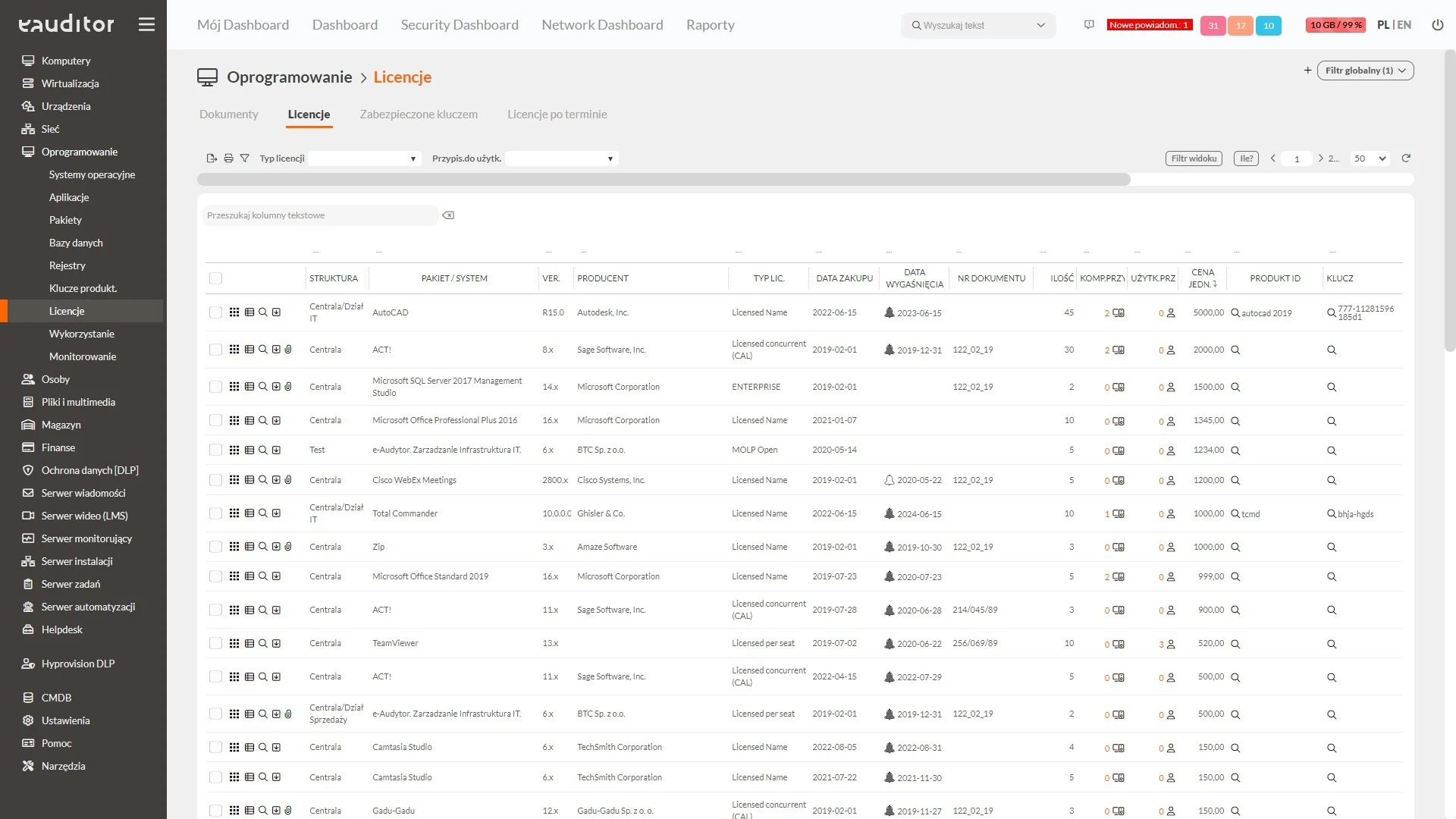
- Recording licenses and linking entitlements to specific software,
- Classification of applications by adopted categories and statuses,
- Generation of reports and summaries supporting SAM audits.
Software and License Inventory
Dispersed information about purchased licenses makes it difficult to determine what entitlements an organization has and which products they relate to. Centralized inventory in eAuditor allows for organizing license data and linking it to software detected during computer inventory.
Administrators gain access to application summaries and information necessary for managing existing entitlements. This makes it easier to check which software the collected licenses apply to and prepare data for their verification.
An organized registry also supports cooperation between the IT department and purchasing personnel, reducing the risk of maintaining independent, inconsistent records in individual organizational units.
Software Installations and Classification
Dispersed information about purchased licenses makes it difficult to determine what entitlements an organization has and which products they relate to. Centralized inventory in eAuditor allows for organizing license data and linking it to software detected during computer inventory.
Administrators gain access to application summaries and information necessary for managing existing entitlements. This makes it easier to check which software the collected licenses apply to and prepare data for their verification.
An organized registry also supports cooperation between the IT department and purchasing personnel, reducing the risk of maintaining independent, inconsistent records in individual organizational units.
Compliance Control and SAM Reports
Having an up-to-date list of applications is only the first step in assessing license compliance. It is also crucial to determine whether the organization has the appropriate entitlements to use specific software, considering the rules set by the manufacturer.
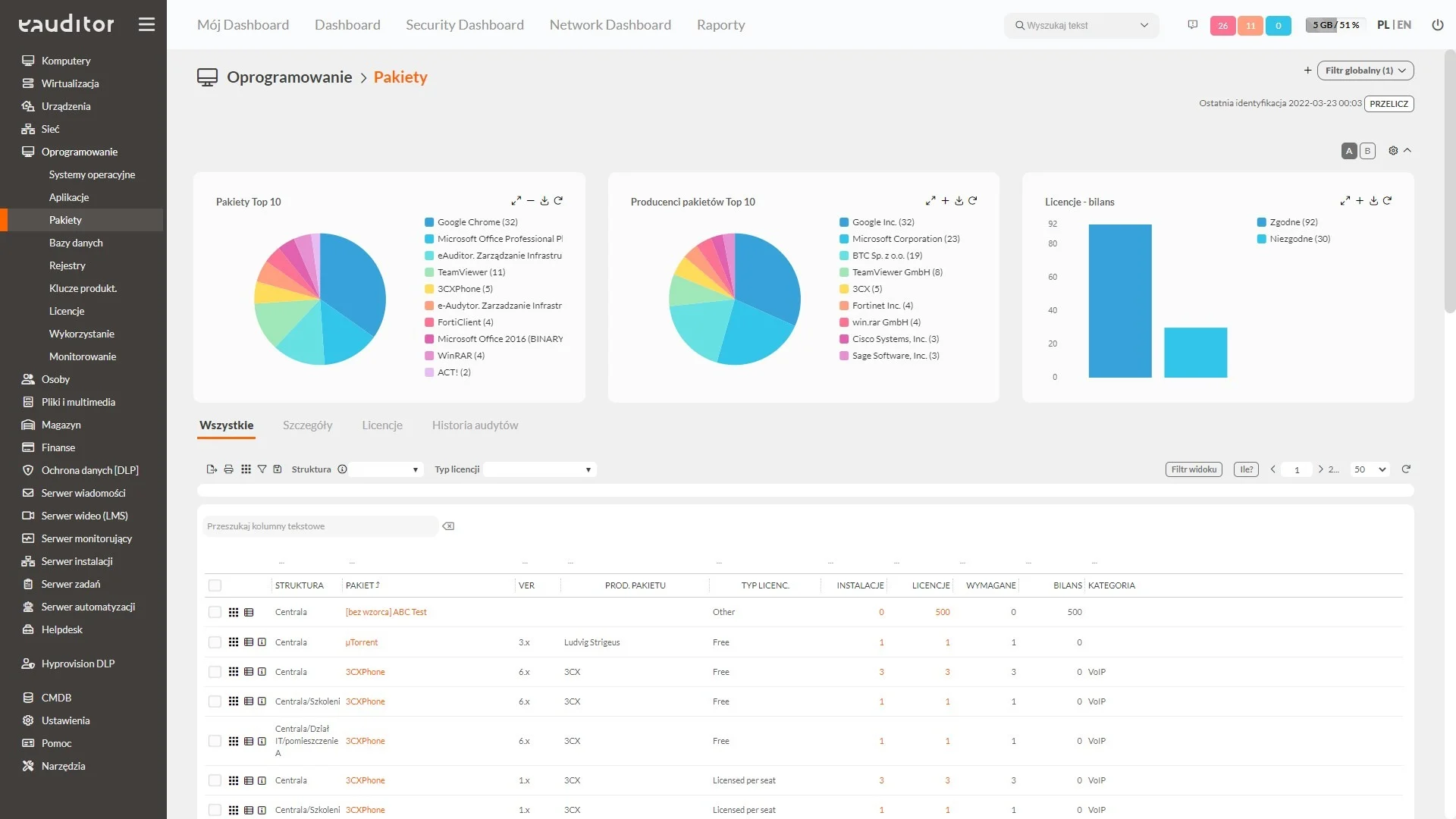
eAuditor supports comparing detected installations with data on owned licenses. This enables the identification of potential license shortages, surpluses, and cases requiring detailed analysis. However, the number of installations alone does not determine compliance — it is also necessary to consider the licensing model and terms of use for a particular product.
Available reports and summaries facilitate the preparation of SAM audits, documentation of software status, and planning of license purchases and renewals. The collected information helps reduce the risk of non-compliance and enables more informed decisions regarding the software budget.