
IT service automation.
Less manual work.
IT service automation.
Less manual work.
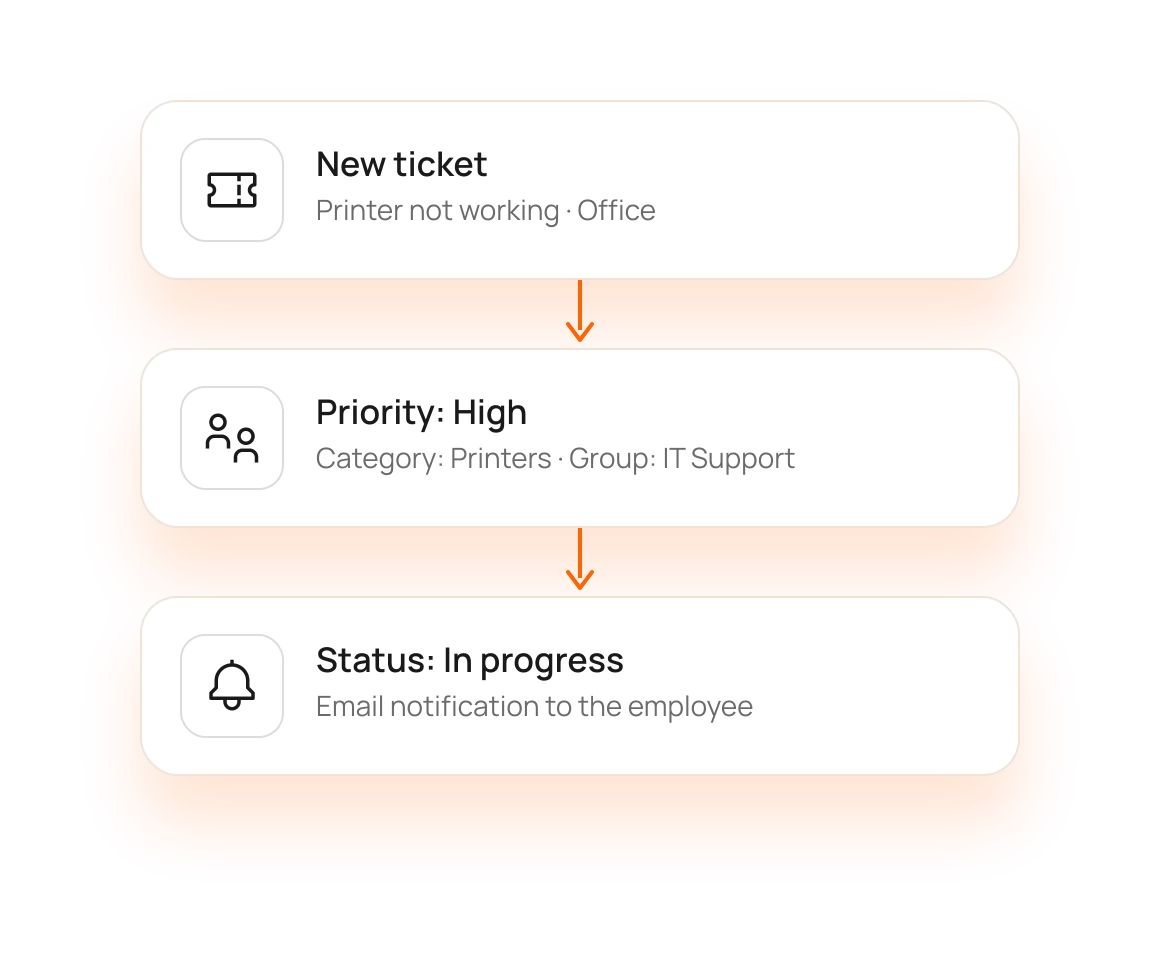
eAuditor streamlines IT ticket handling from the employee’s first contact through to issue resolution. A ticket can be linked to a user and device, assigned a category and priority, and routed to the appropriate support group.
1100+
eAuditor Implementations
190k+
Monitored devices
4100+
Training sessions conducted
20+
Years of development
From Ticket to Resolution. No Unnecessary Steps.
Comprehensive request management in a single environment: from employee forms to administrator change history.
01 | SUBMISSION
Streamlined Request Submission
A simple form in your browser. The system can recognize the user and computer, so some fields are filled in automatically.
02 | QUALIFICATION
Support Group Assignment and Priority
Requests are routed to the appropriate resource or support group. You can customize categories, priorities, and statuses to your IT department’s needs.
03 | QUEUE
Single Queue, Complete Control
Manage all requests from a single location: filter, comment, prioritize, and assign them to groups.
04 | History
Notifications and Full History
Changes, comments, and service technician actions are logged from the start, and notifications are sent via email or to the browser.
05 | SELF-SERVICE
Self-Service and Employee Panel
Employees can check the history and status of their requests, and depending on configuration, may update or withdraw them.
06 | Knowledge and AI
Knowledge Base and AI
Ready-to-use instructions for employees and ChatGPT integration in the employee panel.
From Ticket to History.
A consistent service path streamlines the IT team’s work and gives employees visibility into progress.
Qualification and Assignment
Requests are assigned a category and priority, then routed to the appropriate support group as configured.
Implementation
The technician manages the case, adds comments, and updates the status, while the employee tracks the progress.
What Does the IT Department Gain? Less Manual Work, More Control.
Automation, a streamlined queue, and employee self-service help the IT team work faster and more predictably.

Less Manual Work
Automation, configurable rules, and employee self-service reduce the number of simple, repetitive tasks.

Quicker Response and Full Control
Linking cases to users and resources, along with a streamlined queue, facilitates diagnosis, while saved changes and comments allow for tracking the entire handling process.

Better Communication with Employees
Status updates and notifications enable you to track progress without needing to contact IT.
IT support in the context of the entire environment
Ticket handling doesn’t operate in isolation from other IT data. The Helpdesk draws on context from devices, users, and infrastructure, and integrates with the Employee Panel and Active Directory.
ITAM
You know what resources you have, where they are located, and who is responsible for them.
Meet ITAM ->
Frequently asked questions about IT service automation
Ticket registration with user and computer recognition, assigning category and priority, routing issues to support groups, and event notifications, as configured.
Yes. Categories, priorities, statuses, and support groups are configurable.
Yes. In the employee panel, they can check the history of cases and current status, and depending on configuration, update or withdraw the ticket.
Yes. It records the entire process from ticket creation or import to resolution, including changes, comments, and technician actions.
The knowledge base helps employees find ready-made instructions, while AI supports administrators in analyzing tickets.
Discover how IT automation works in your organization.
Schedule an eAuditor demo and discover how to streamline the intake, qualification, handling, and history of requests within a single environment.